Evolvement LLC logo

Automations

Enterprise automation using Robotic Process Automation, Process Mining, Logic Apps, Power Automate, automated agents, triggers, schedules, alerts, and workflow orchestration to reduce manual effort and accelerate decisions.

What We Build

  • Robotic Process Automation for legacy systems, browser actions, desktop applications, and repetitive manual tasks.
  • Power Automate cloud flows using premium connectors such as Azure SQL, Teams, Outlook, Power BI, APIs, and ML endpoints.
  • Azure Logic Apps for enterprise-grade orchestration, API workflows, retries, secure parameters, and managed connectors.
  • Process Mining to discover actual workflows, identify bottlenecks, compare process variants, and target automation opportunities.
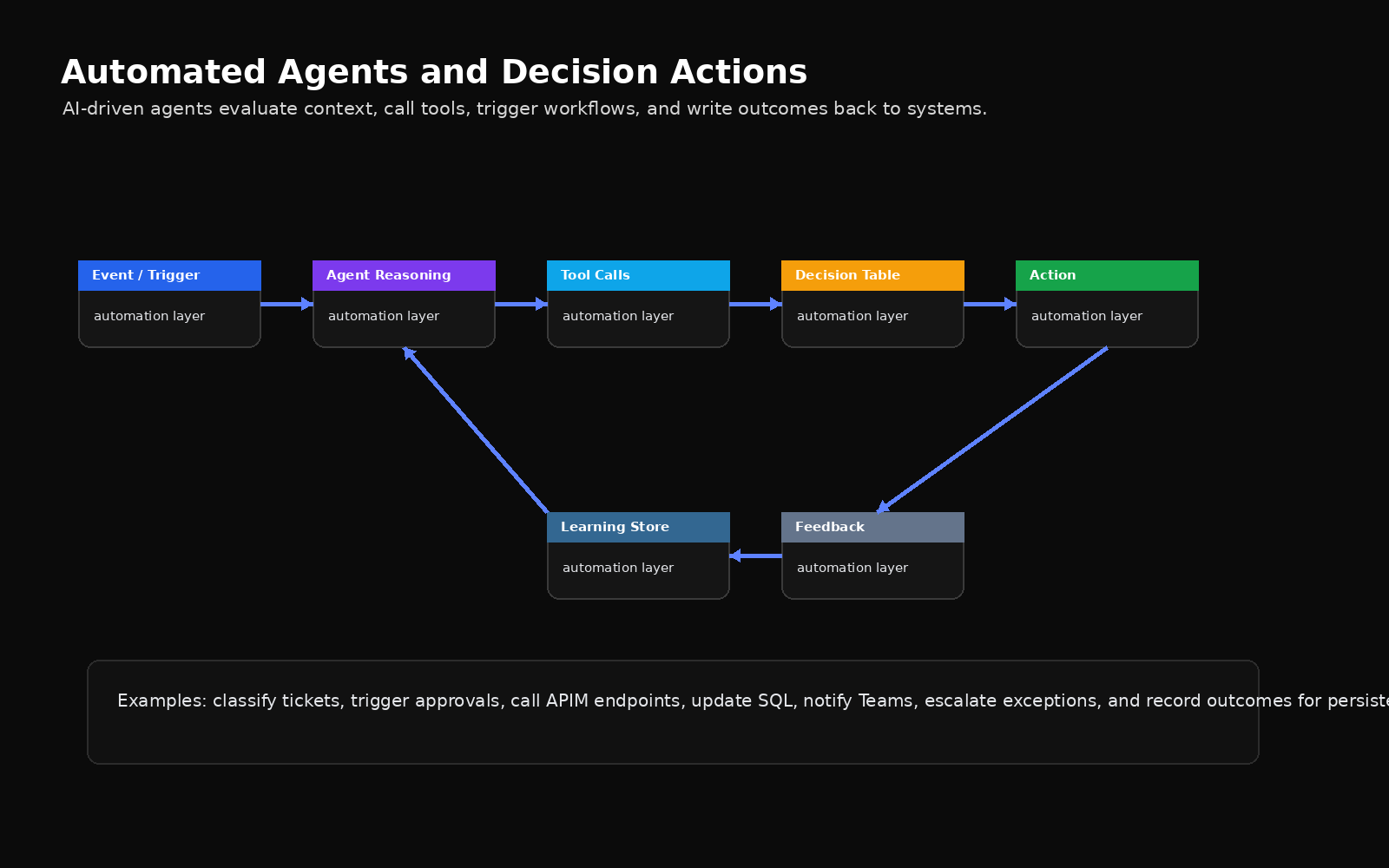
  • Automated agents that evaluate events, call tools, update systems, trigger alerts, and record outcomes for persistent learning.

Example Use Cases

  • Trigger a workflow when SQL data changes and send Teams alerts to operational users.
  • Use RPA to extract data from legacy applications that do not expose modern APIs.
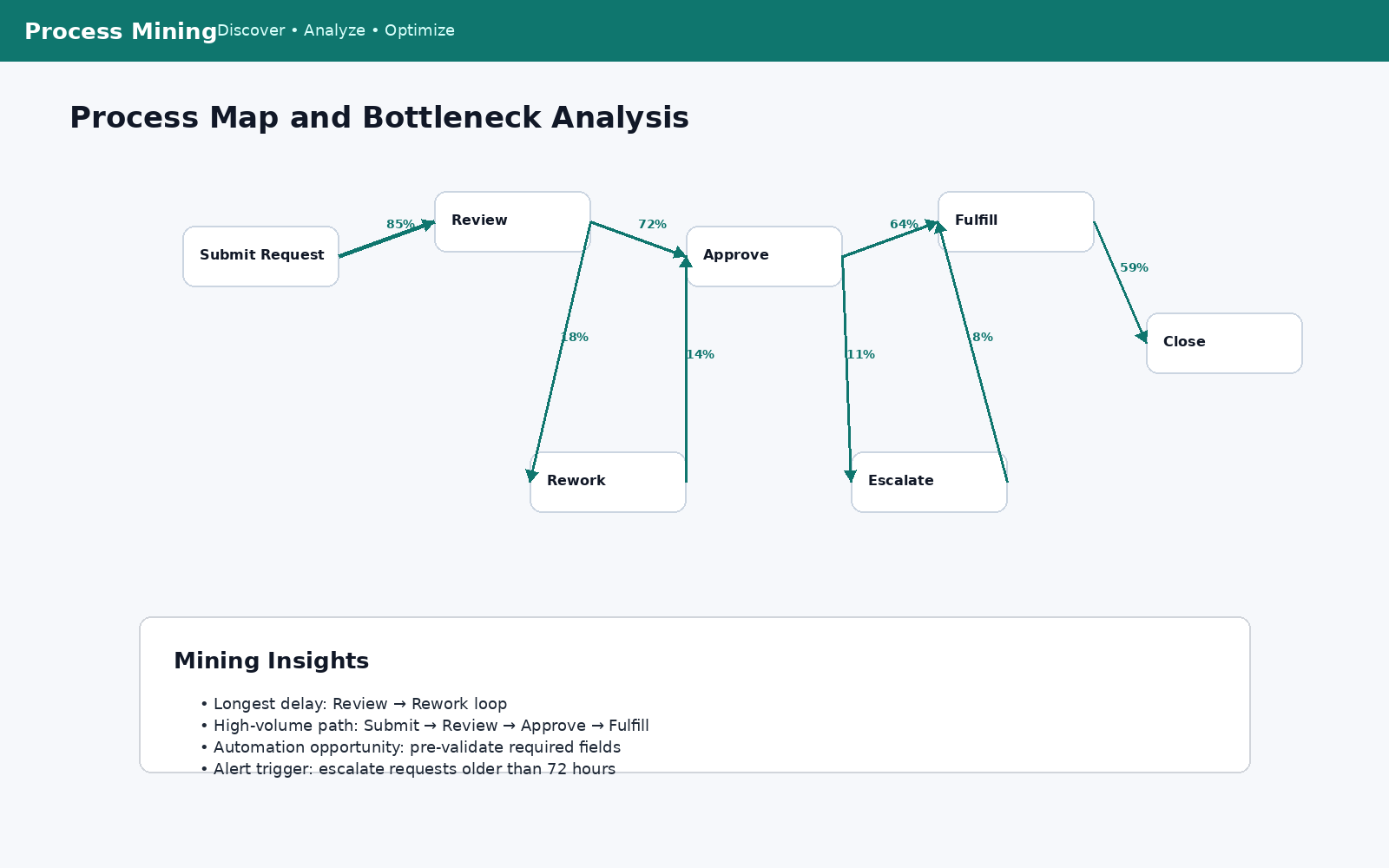
  • Use Process Mining to find delays, rework loops, and candidate steps for automation.
  • Use Logic Apps to orchestrate API calls, approvals, error handling, and data updates.
  • Use automated agents to classify events, make recommendations, and trigger downstream actions.

Automation as an Execution Layer

Automations connect people, systems, APIs, databases, dashboards, and AI into repeatable workflows. Evolvement LLC designs automation patterns that can start from events, schedules, user actions, API calls, SQL changes, model outputs, or business rules.

  • RPA: automate repetitive UI work in legacy systems and desktop applications.
  • Power Automate: connect business apps, SQL, Teams, alerts, approvals, and reporting updates.
  • Logic Apps: orchestrate enterprise API workflows, integrations, retries, and secure service-to-service automation.
  • Process Mining: analyze real execution paths and identify automation opportunities.
  • Automated Agents: respond to events, call tools, update systems, and record feedback for learning loops.

Interactive Examples and Learning Area

This page is ready for future demos showing RPA bots, process maps, Logic Apps, flow run history, agent workflows, Teams alerts, SQL-triggered automations, and dashboard refreshes.

The screenshots below are included locally in this package so they will render correctly from your website without relying on external image links.
Power Automate cloud flow screenshot

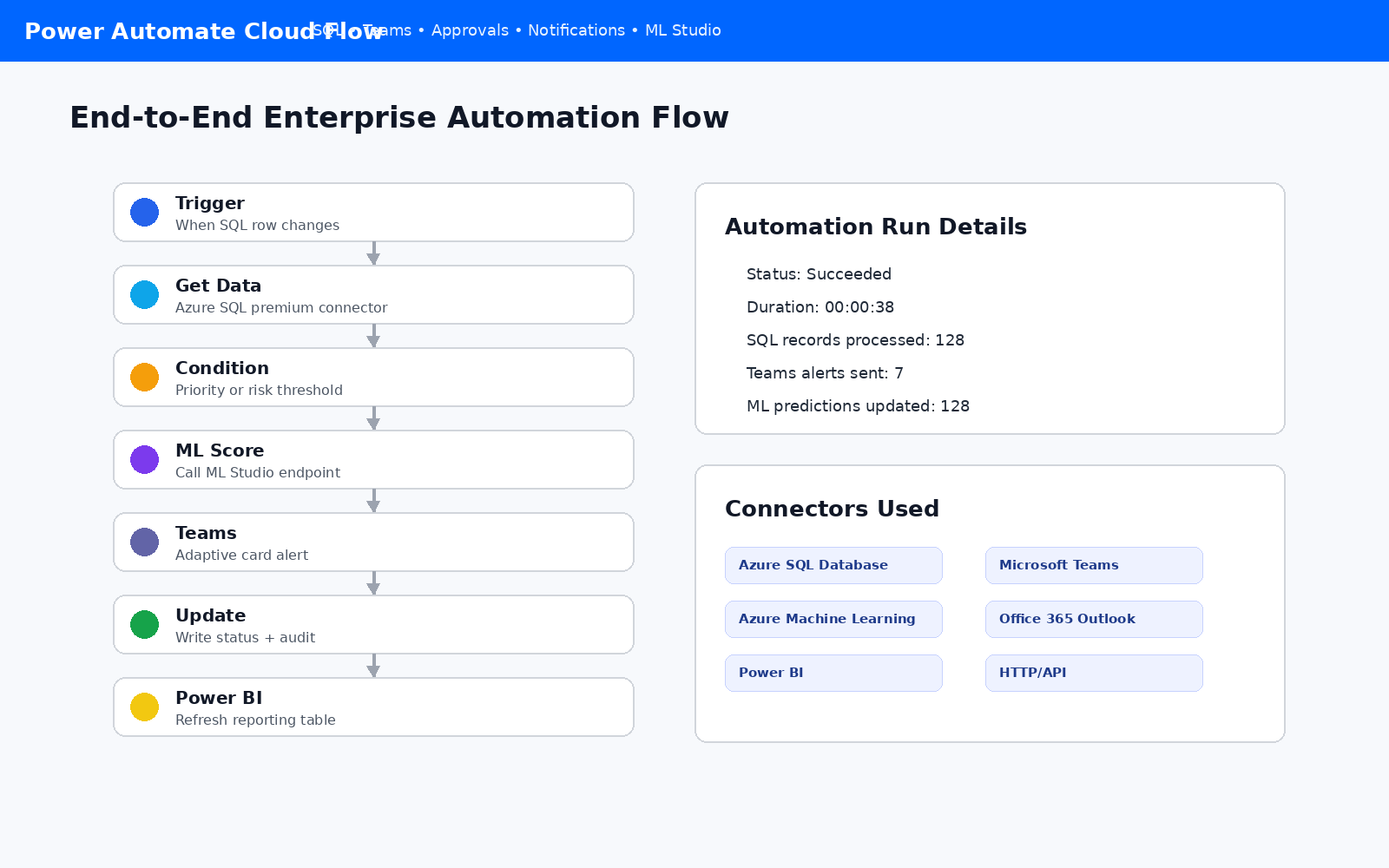
Power Automate Cloud Flow

End-to-end workflow using SQL triggers, ML scoring, Teams alerts, audit updates, and Power BI refreshes.
Robotic process automation desktop flow screenshot

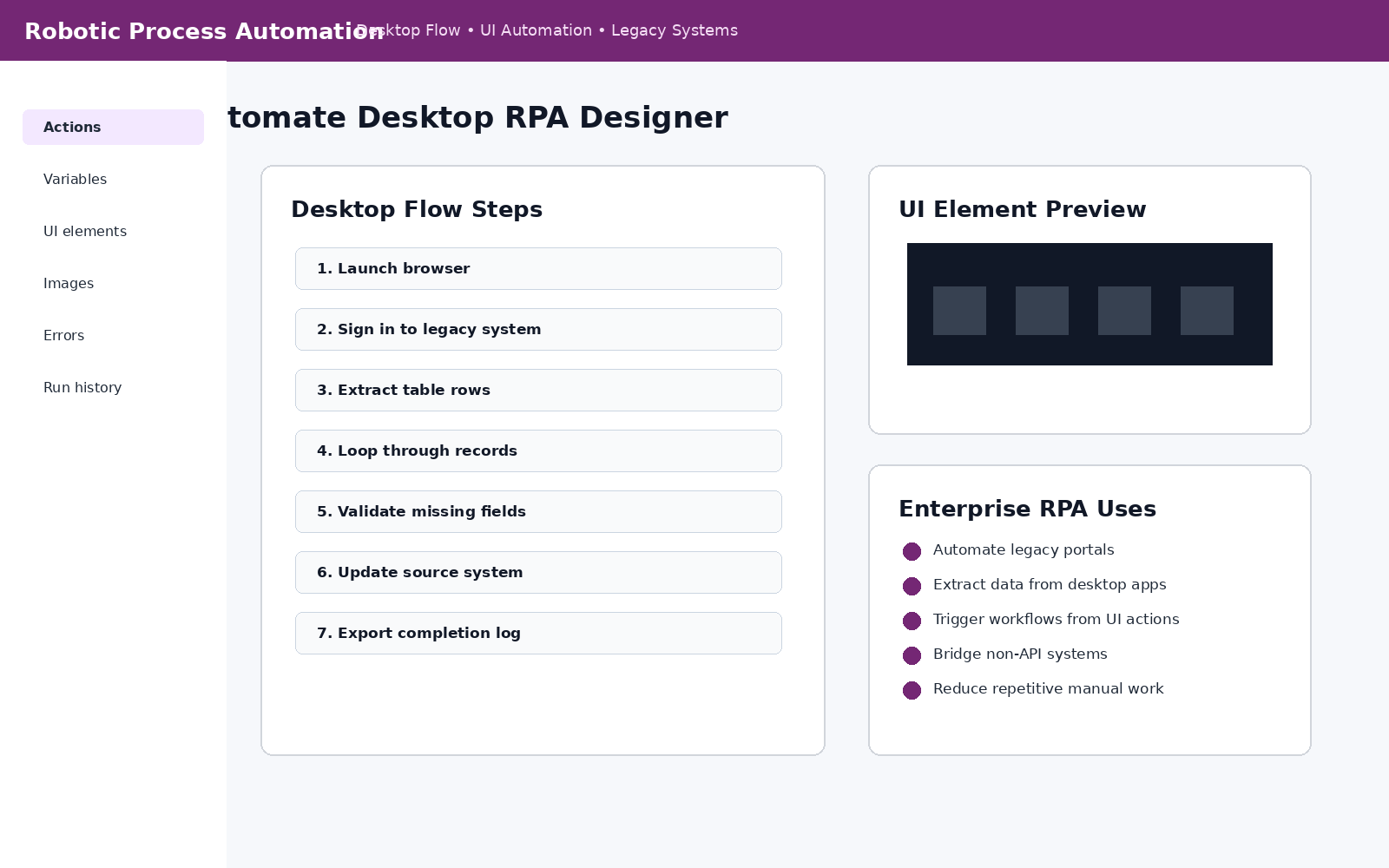
Robotic Process Automation

Desktop flow pattern for automating legacy systems, browser actions, table extraction, and repetitive UI tasks.
Azure Logic Apps workflow designer screenshot

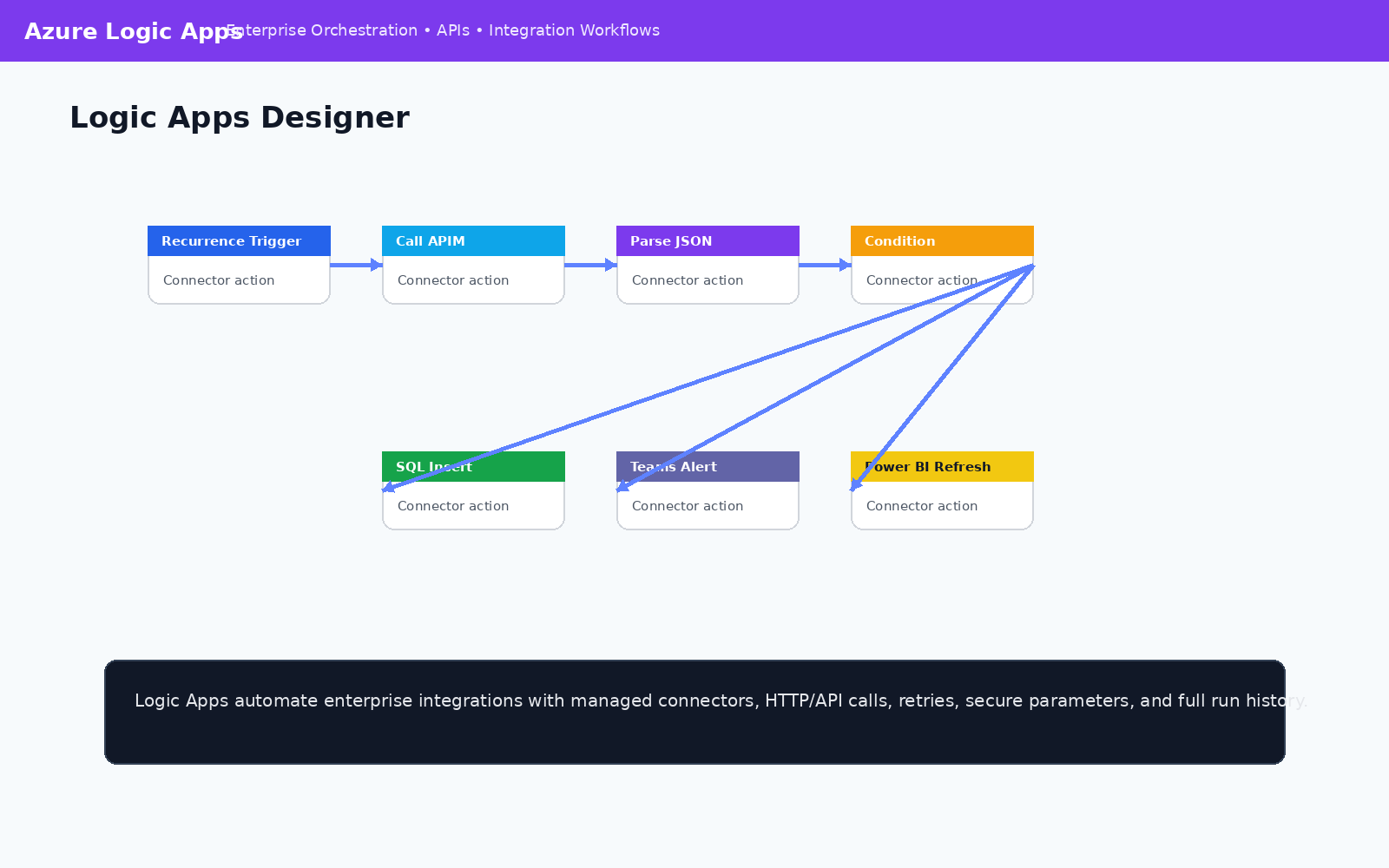
Azure Logic Apps

Enterprise orchestration connecting triggers, APIM, JSON parsing, SQL inserts, Teams alerts, and Power BI refreshes.
Process mining map screenshot

Process Mining

Process map showing real workflow paths, rework loops, bottlenecks, and opportunities for automation.
Automated agents architecture screenshot

Automated Agents

Agent workflow that evaluates events, calls tools, uses decision tables, triggers actions, and records feedback.
Automation monitoring dashboard screenshot

Monitoring and Run History

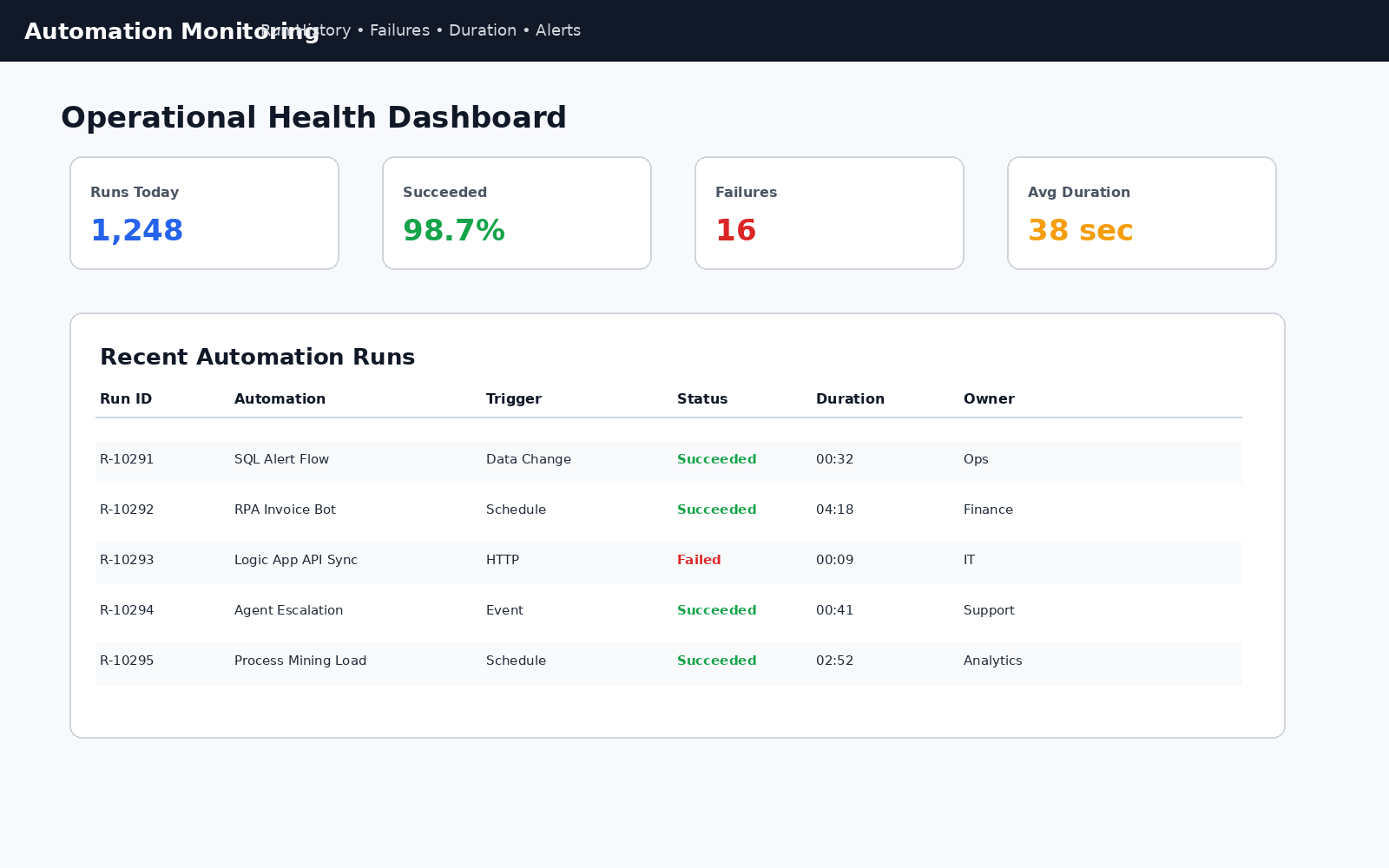
Operational monitoring for run status, duration, failures, owners, alerts, and automation health.

Automation Architecture

Triggers

Events, schedules, API calls, SQL changes, emails, files, approvals, and alerts.

Orchestration

Power Automate, Logic Apps, workflows, conditions, loops, retries, and approvals.

RPA

Desktop flows, browser automation, legacy apps, UI actions, and file processing.

Agents

Classify events, call tools, check rules, trigger actions, and learn from outcomes.

Outcomes

SQL updates, Teams alerts, dashboards, reports, ML scoring, and audit history.

This pattern gives organizations an execution layer that can start from any business event, run repeatable logic, interact with modern and legacy systems, notify the right people, and write outcomes back to data stores for reporting and persistent learning.

Business Value

  • Reduce repetitive manual work and improve process consistency.
  • Connect legacy applications, APIs, databases, dashboards, and AI systems.
  • Accelerate alerts, approvals, escalations, and operational responses.
  • Use process mining to target the highest-value automation opportunities.
  • Create measurable run history, audit trails, monitoring, and continuous improvement.

Example Production Flow

  • An event, schedule, SQL change, or API call triggers an automation.
  • Power Automate or Logic Apps retrieves data and evaluates business rules.
  • RPA completes work in a legacy or desktop system when no API exists.
  • An automated agent classifies the event and determines next steps.
  • Results are written to SQL, dashboards are refreshed, and Teams alerts notify users.
Back to Capabilities