Evolvement LLC logo

Data Factory

Azure Data Factory orchestrates enterprise data movement and transformation across APIs, Azure SQL, Cosmos DB, files, storage, Databricks, Power BI, ML pipelines, and modern cloud data platforms.

What We Build

  • Enterprise-scale Azure Data Factory pipelines for ingestion, transformation, orchestration, scheduling, monitoring, and data movement.
  • Reusable datasets and linked services for Azure SQL, REST APIs, storage, Cosmos DB, Databricks, and hybrid source systems.
  • Mapping Data Flows for Power Query-style transformations including filters, derived columns, joins, aggregates, conditional splits, and sinks.
  • Databricks notebook and Delta Lake integration for advanced ETL, ML feature preparation, simulation, and analytics processing.
  • Triggers, schedules, monitoring, diagnostics, error handling, and operational alerting patterns for production pipelines.

Example Use Cases

  • API ingestion into Azure SQL for historical dashboards and operational reporting.
  • Nightly or hourly ETL pipelines for analytics, Power BI, and compliance reporting.
  • Pipeline orchestration that calls Databricks notebooks for ML preparation and advanced processing.
  • Data movement from files, streams, REST endpoints, databases, and cloud services into curated stores.
  • Monitoring pipeline health, failures, throughput, and transformation stages for operational reliability.

Data Factory as the Orchestration Layer

Data Factory becomes the managed orchestration layer that connects source systems, linked services, datasets, transformations, Databricks, and reporting outputs into one repeatable enterprise data pipeline pattern.

  • Pipelines: coordinate activities, dependencies, parameters, branching, retries, and execution order.
  • Datasets: define reusable source and destination structures for files, tables, APIs, and lakehouse assets.
  • Linked Services: securely connect to Azure SQL, storage, Cosmos DB, Databricks, APIs, and external systems.
  • Mapping Data Flows: perform visual, Spark-backed transformations without hand-coding every step.
  • Databricks: executes advanced notebooks, ML feature engineering, Delta Lake workloads, and simulation logic.
  • Monitoring: provides run history, debug output, data flow stages, transformation counts, failures, and diagnostics.

Real Azure Data Factory in Use

The screenshots below use direct Microsoft Learn image paths for actual Azure Data Factory and Synapse pipeline screens. They show pipelines, data flow activities, linked services, datasets, transformation logic, debug output, and monitoring.
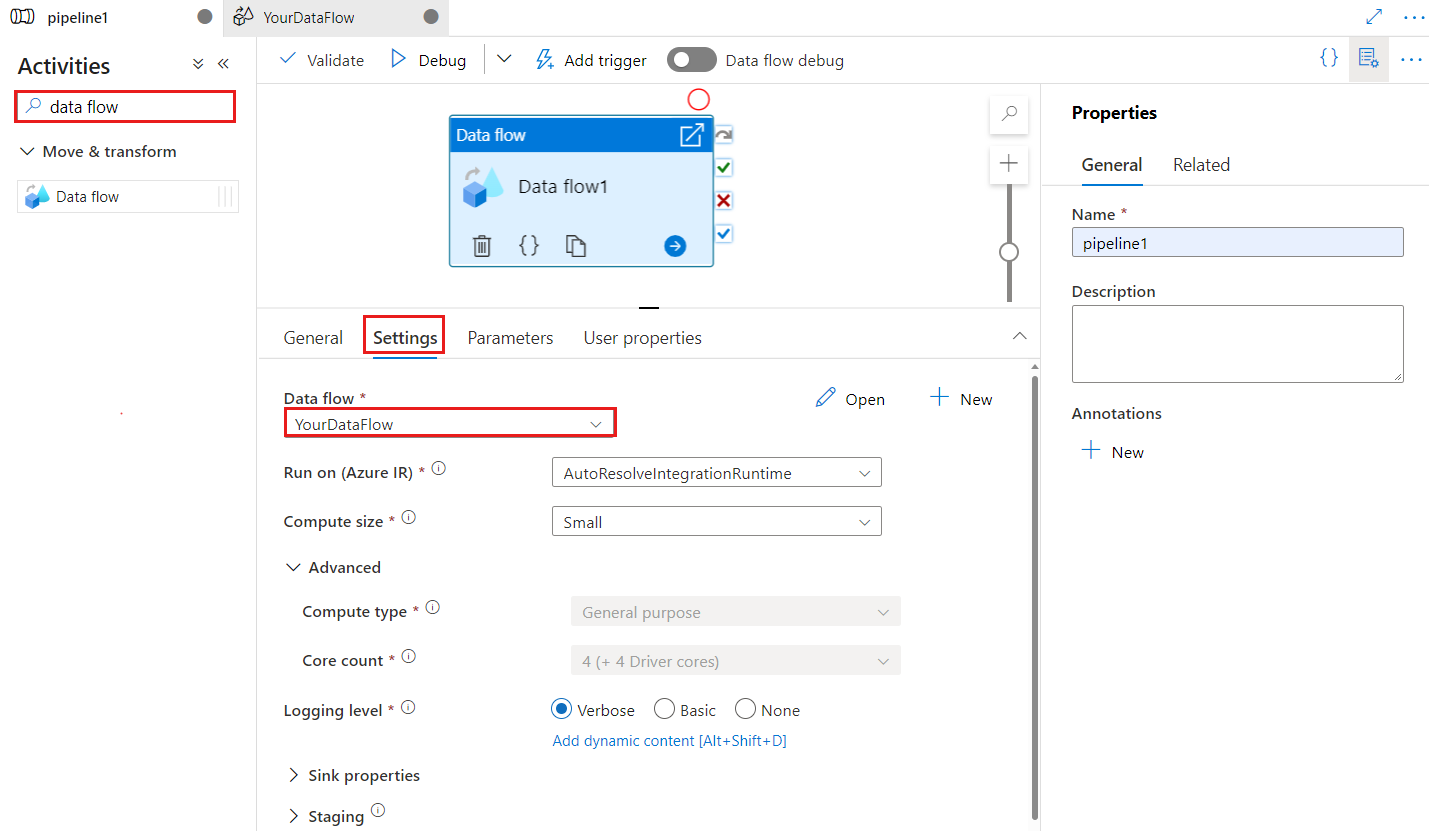
Azure Data Factory Data Flow activity in pipeline canvas

Pipeline Canvas: Data Flow Activity

ADF pipelines visually orchestrate activities such as Data Flow, Copy, notebook execution, lookups, and conditional logic.
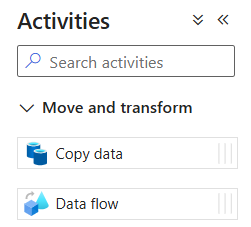
Azure Data Factory Activities pane showing Copy data and Data flow

Activities: Copy Data and Data Flow

The activity pane shows the core building blocks used to move and transform data across enterprise systems.
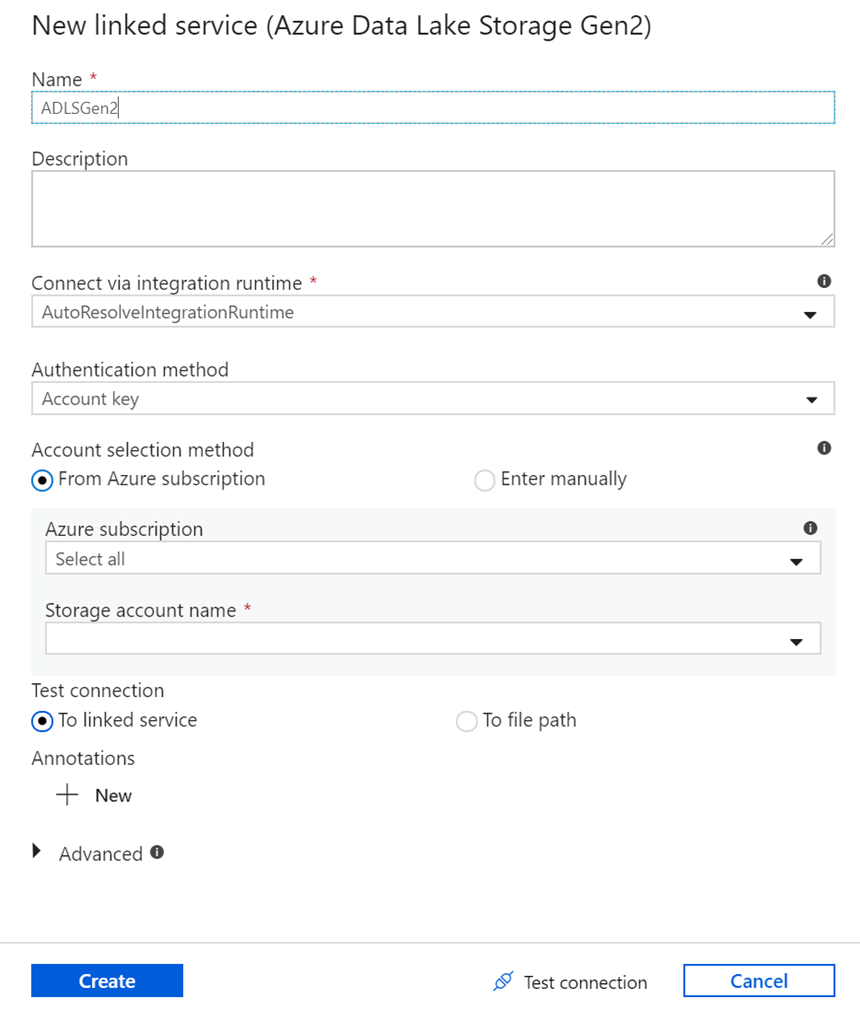
Azure Data Factory linked service configuration

Linked Services

Linked services securely connect ADF to source and destination systems such as storage, SQL, APIs, and compute services.
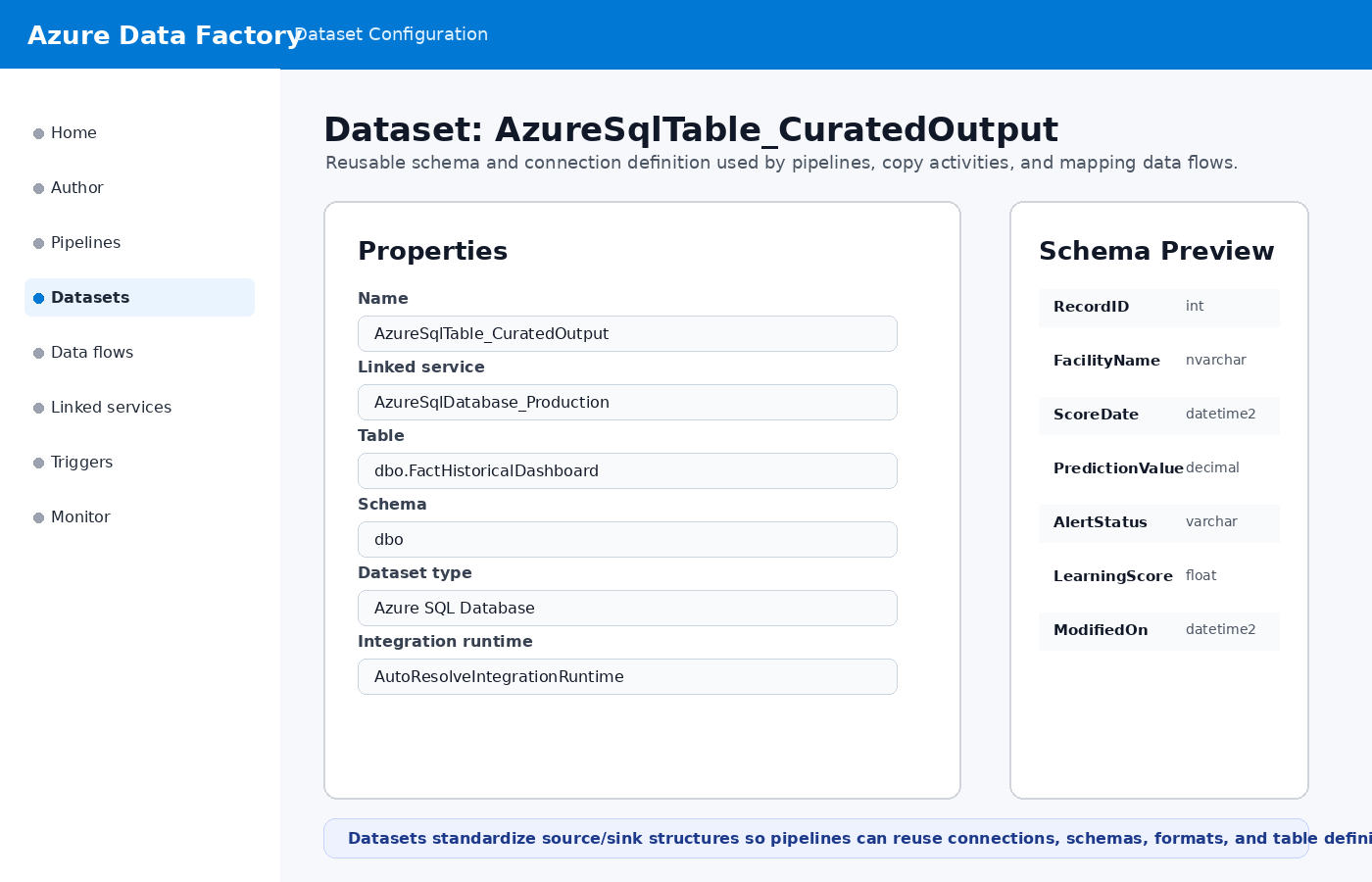
Azure Data Factory dataset creation

Datasets

Datasets define reusable structures for files, tables, schemas, formats, and source/sink definitions used by pipelines.
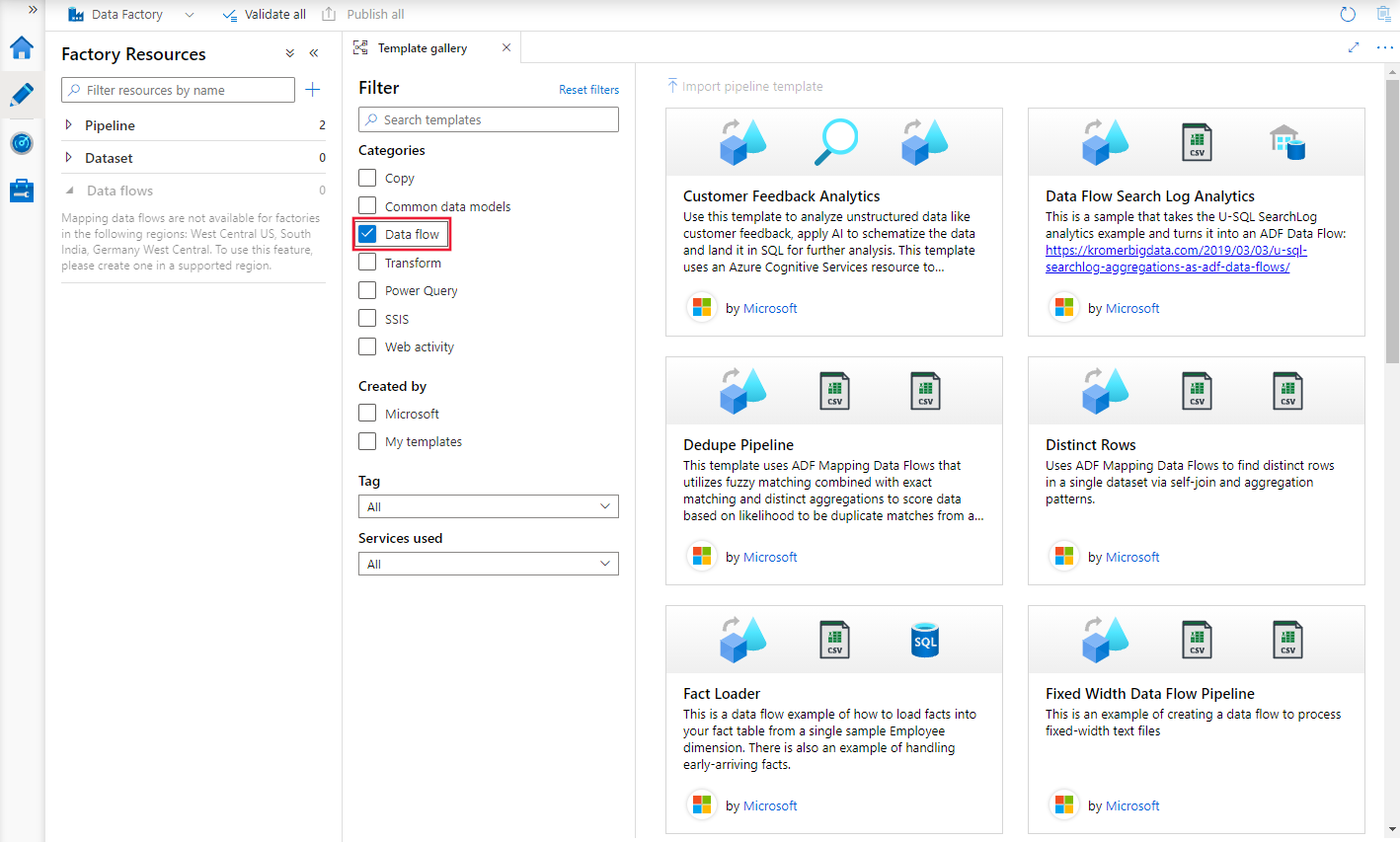
Azure Data Factory data flow template gallery

Data Flow Templates

The template gallery provides examples for data flow patterns such as dedupe, fact loading, transformations, and analytics.
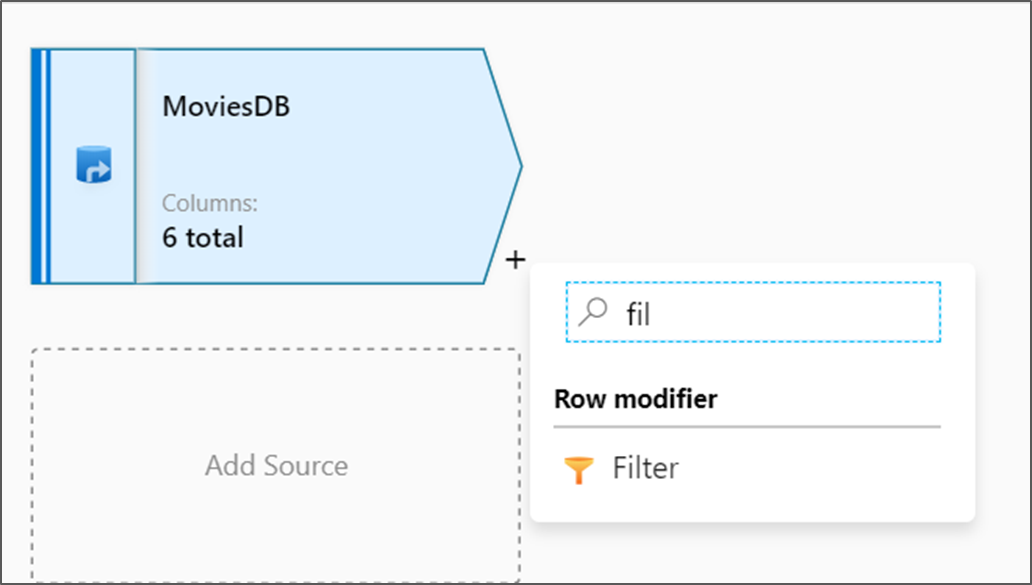
Azure Data Factory mapping data flow canvas

Mapping Data Flow Canvas

Mapping Data Flows provide Power Query-style visual transformations for filters, joins, aggregates, sources, and sinks.
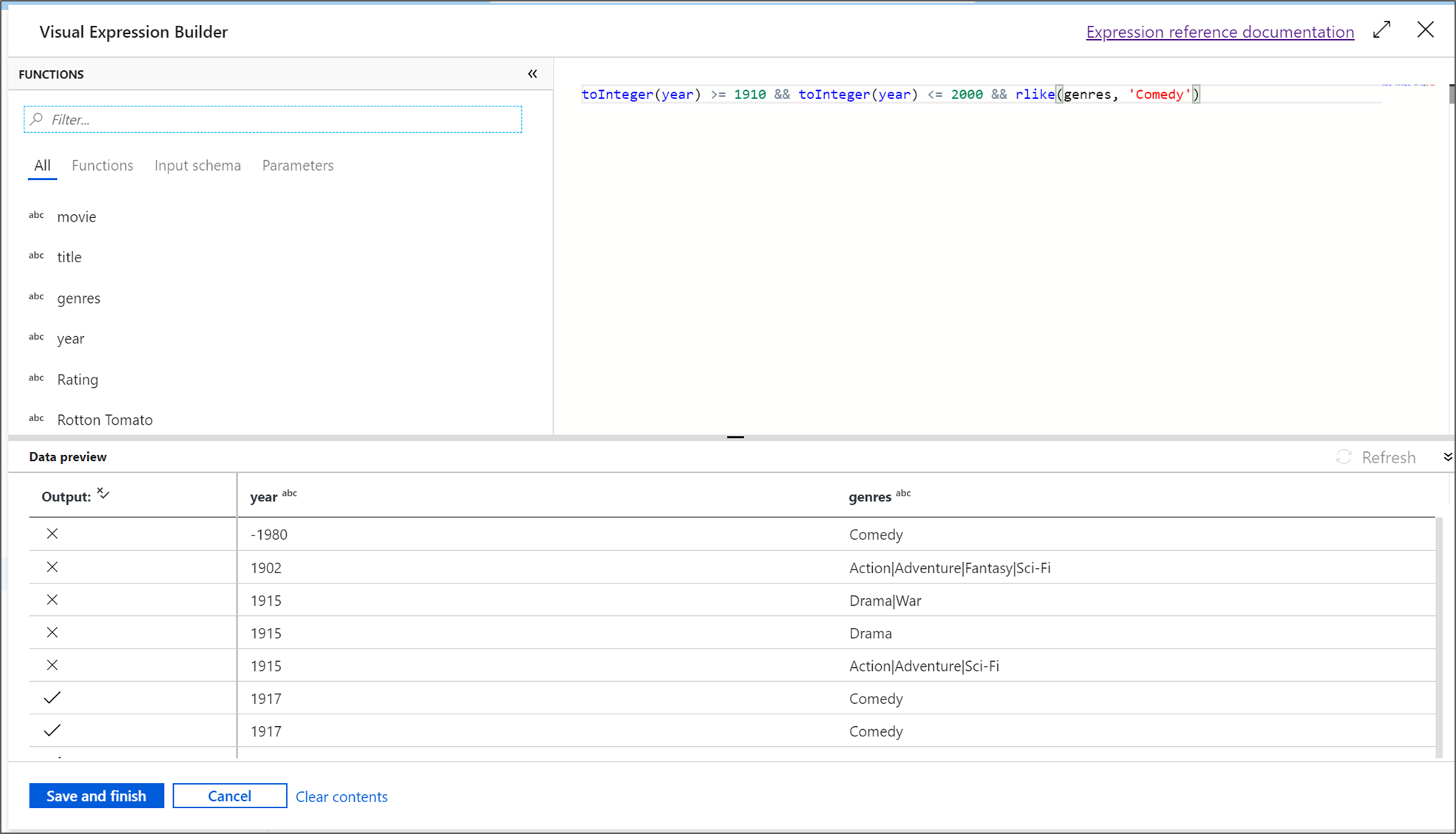
Azure Data Factory expression builder

Transformation Logic

The expression builder supports advanced transformation rules, filtering, derived columns, and data-shaping logic.

Azure Data Factory data preview

Data Preview

Data preview validates transformations before production runs, showing transformed rows, schema changes, and output values.
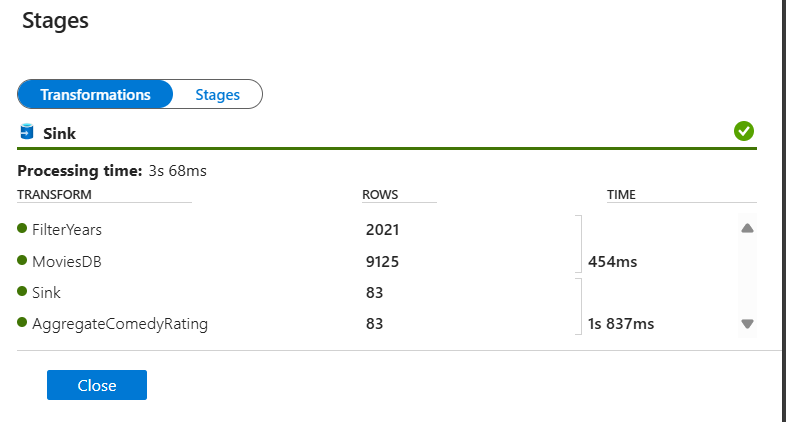
Azure Data Factory data flow monitoring stages

Monitoring and Stages

Monitoring shows pipeline success, stage timing, row counts, partition activity, and transformation-level diagnostics.

Architecture Flow

Sources

APIs, SQL, Cosmos, files, RSS, streams, SaaS, and operational systems.

Linked Services

Secure connections, credentials, integration runtimes, and managed identity.

Datasets

Reusable definitions for files, tables, formats, schemas, and endpoints.

Pipelines

Copy, Data Flow, Lookup, If Condition, ForEach, notebooks, and triggers.

Databricks

Notebook execution, Delta Lake, ML features, simulations, and analytics.

Outputs

Azure SQL, lakehouse, Cosmos, Power BI, ML Studio, alerts, and learning.

This pattern lets Data Factory orchestrate the entire integration lifecycle: connect securely to source systems, define reusable datasets, run transformations, execute Databricks when advanced processing is needed, land curated results, and monitor each run for reliability and traceability.

Business Value

  • Repeatable data movement across APIs, files, SQL, Cosmos, Databricks, and reporting platforms.
  • Centralized orchestration for dashboards, ML, automations, and historical reporting.
  • Reusable linked services and datasets that reduce redundant integration work.
  • Operational monitoring for pipeline health, transformation counts, latency, and failures.
  • Production-ready patterns for scheduling, triggers, alerts, and governed data movement.

Example Production Flow

  • ADF triggers on a schedule or event.
  • Linked service connects securely to source APIs, Azure SQL, Cosmos, storage, or Databricks.
  • Pipeline copies raw source data into staging.
  • Mapping Data Flow transforms, filters, joins, aggregates, and validates the data.
  • Databricks notebook performs advanced processing or ML feature engineering.
  • Curated output lands in Azure SQL, Cosmos, PostgreSQL, lakehouse, or Power BI-ready tables.
Back to Capabilities