Evolvement LLC logo

Defender and InTune

Endpoint security, device management, Windows and macOS policy enforcement, vulnerability management, scheduled scans, software inventory, threat protection, logs, and Log Analytics reporting.

What We Build

  • Defender and InTune endpoint management programs for Windows devices, macOS devices, Azure VMs, servers, and cloud-hosted workloads.
  • Device policy baselines covering encryption, firewall, antivirus, attack surface reduction, patching, OS version, password policy, and compliance requirements.
  • Scheduled vulnerability scans and remediation workflows for workstations, macOS devices, Linux servers, Windows servers, App Services, and application dependencies.
  • Software inventory views for each device and server, including installed applications, versions, exposure level, vulnerabilities, and remediation actions.
  • Threat monitoring, device timelines, incident investigation, logs, Log Analytics, Sentinel integration, and security reporting.

Example Use Cases

  • Define Windows and macOS policy profiles similar to group policy for modern cloud-managed devices.
  • Require compliant devices before allowing access to cloud apps and sensitive systems.
  • Schedule recurring vulnerability scans and track missing patches across endpoints and servers.
  • Review software inventory by device, server, application, version, and risk level.
  • Send Defender and InTune logs into Log Analytics and Sentinel for dashboards, alerts, and investigation.

Defender and InTune Approach

Defender and InTune work together to manage endpoints, enforce policies, detect threats, monitor vulnerabilities, inventory software, and report device health. Evolvement LLC designs security programs that connect device compliance, vulnerability scans, software inventory, threat detection, and logs into one operational model.

  • Windows: security baselines, BitLocker, Defender Antivirus, firewall, attack surface reduction, updates, device restrictions, and compliance.
  • macOS: FileVault, Gatekeeper, firewall, password policy, OS version compliance, device restrictions, and endpoint monitoring.
  • Servers: Defender for Endpoint onboarding, vulnerability scans, software inventory, threat timelines, and scheduled scan evidence.
  • Log Analytics: central KQL queries for inventory, vulnerabilities, threat events, device health, and audit-ready reports.
  • Operations: dashboards, remediation actions, alerts, Sentinel incidents, patch cycles, and executive reporting.

Defender and InTune Examples

The screenshots below are packaged locally with this page so they render reliably. They show endpoint posture, Windows/macOS policies, scheduled vulnerability scans, software inventory, threats, Log Analytics, and architecture.
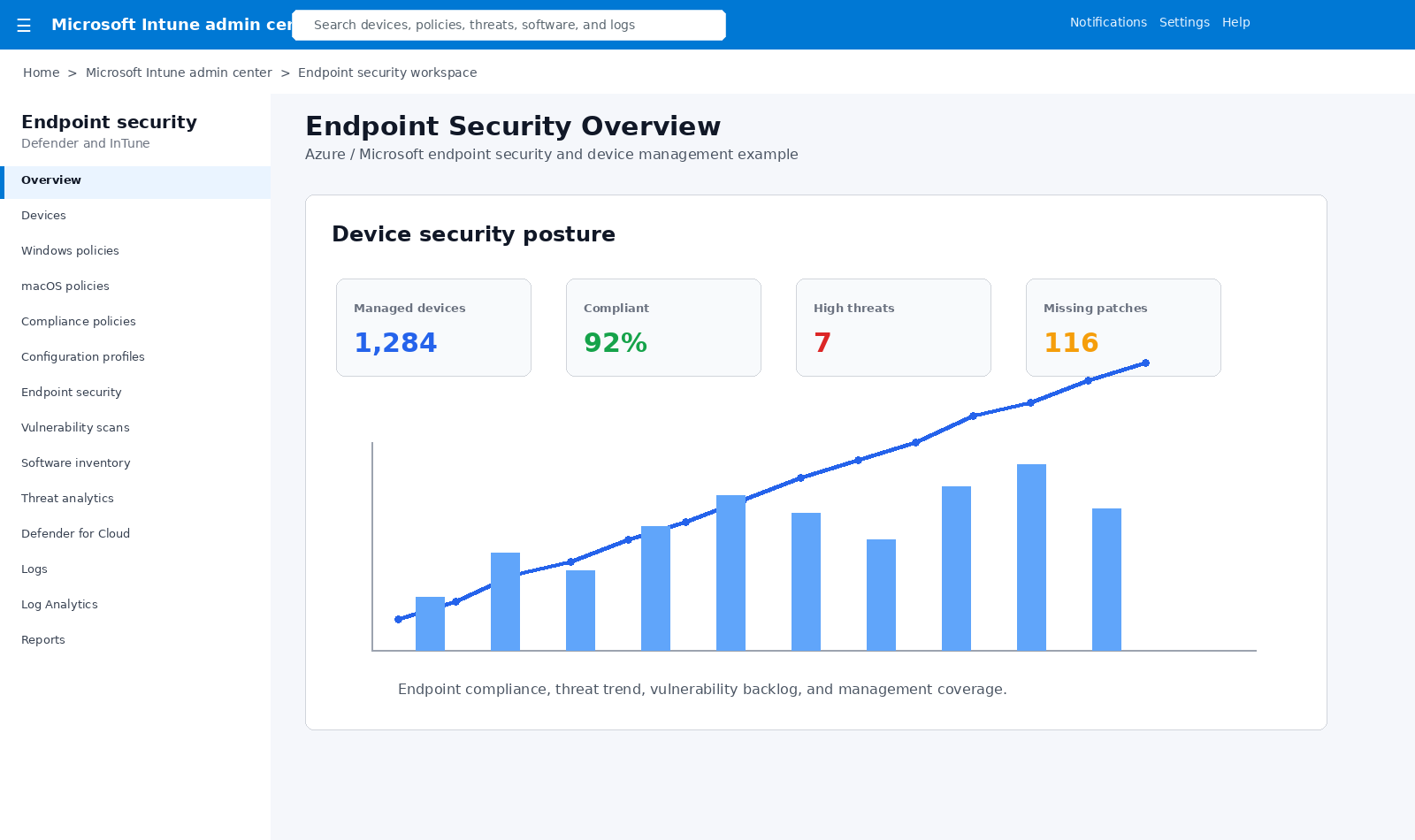
Defender and InTune overview

Endpoint Security Overview

Managed devices, compliance rate, high threats, missing patches, and endpoint security trends.
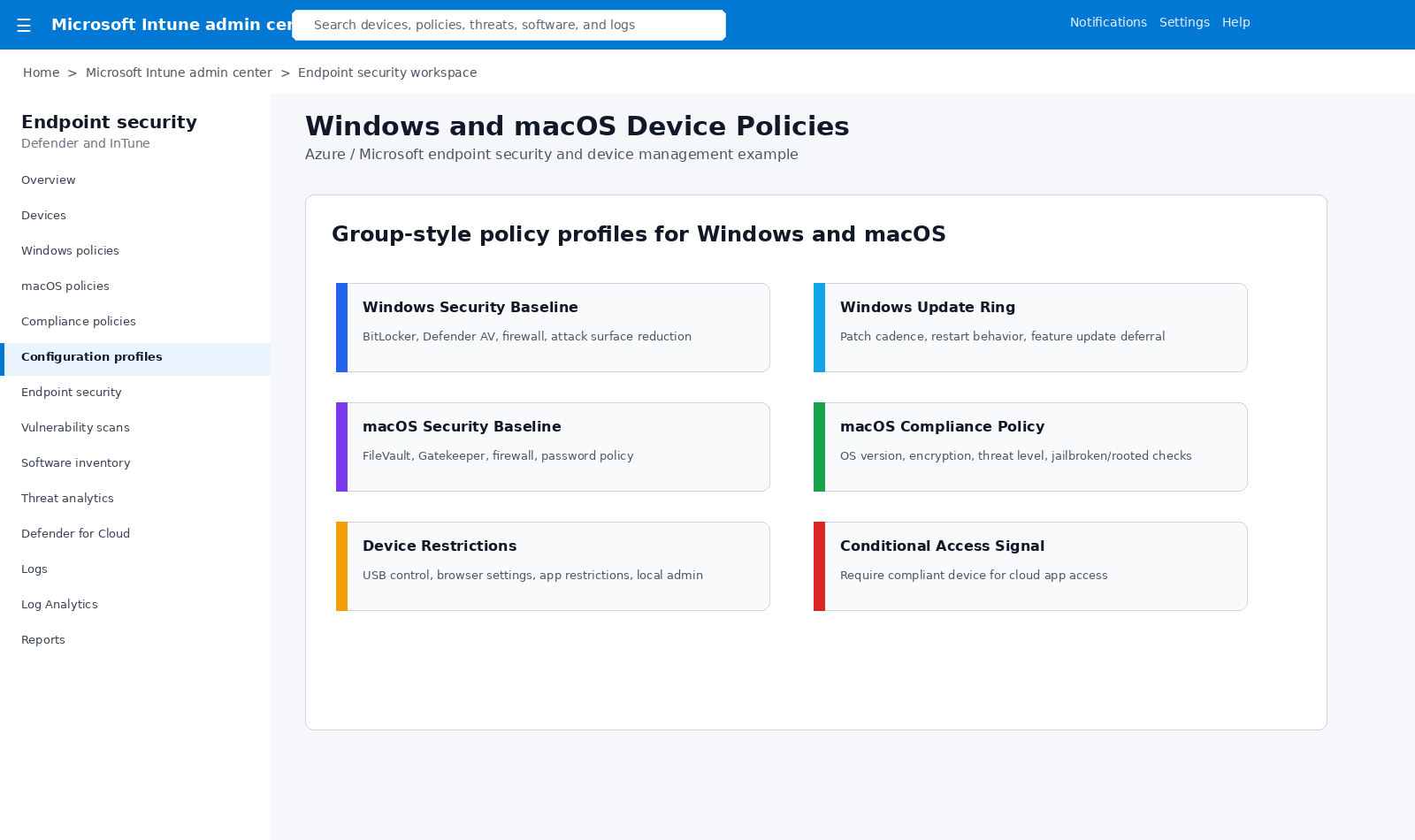
InTune Windows macOS policies

Windows and macOS Policies

Cloud-managed group-style policies for Windows, macOS, encryption, updates, compliance, restrictions, and conditional access.
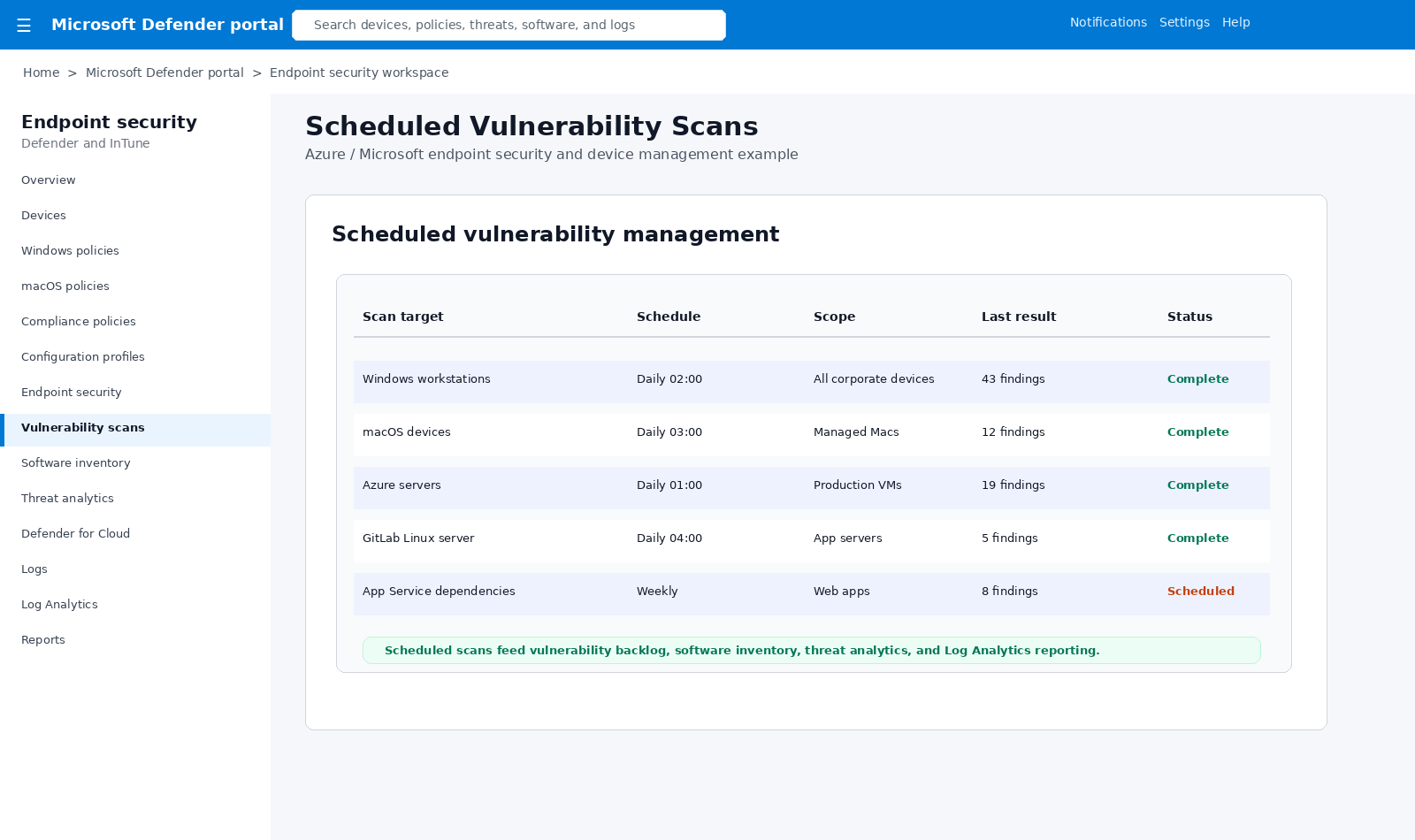
Defender scheduled vulnerability scans

Scheduled Vulnerability Scans

Recurring vulnerability scans for workstations, macOS devices, servers, App Services, and application dependencies.
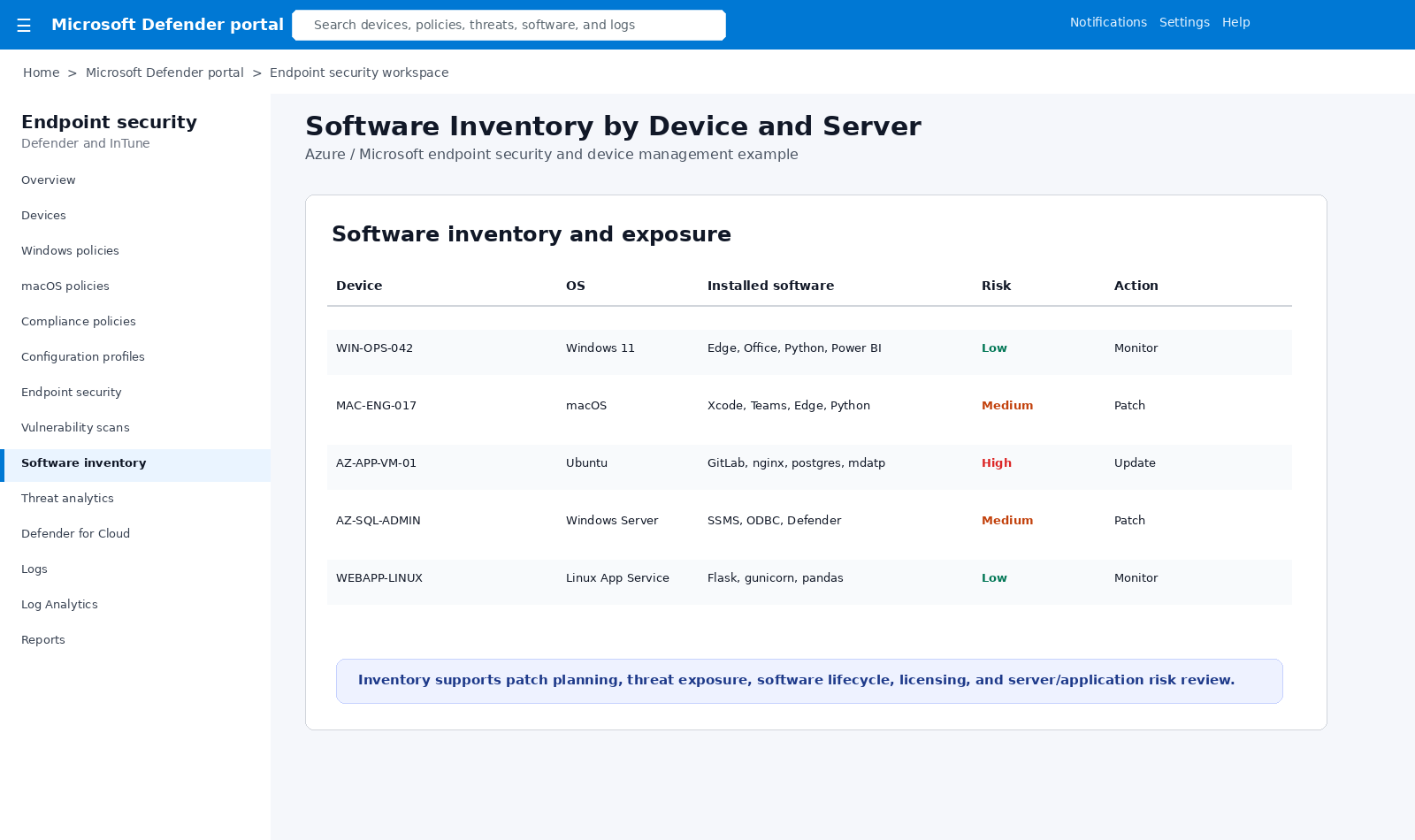
Defender software inventory

Software Inventory

Software installed on each device and server, including risk, patch status, and remediation actions.
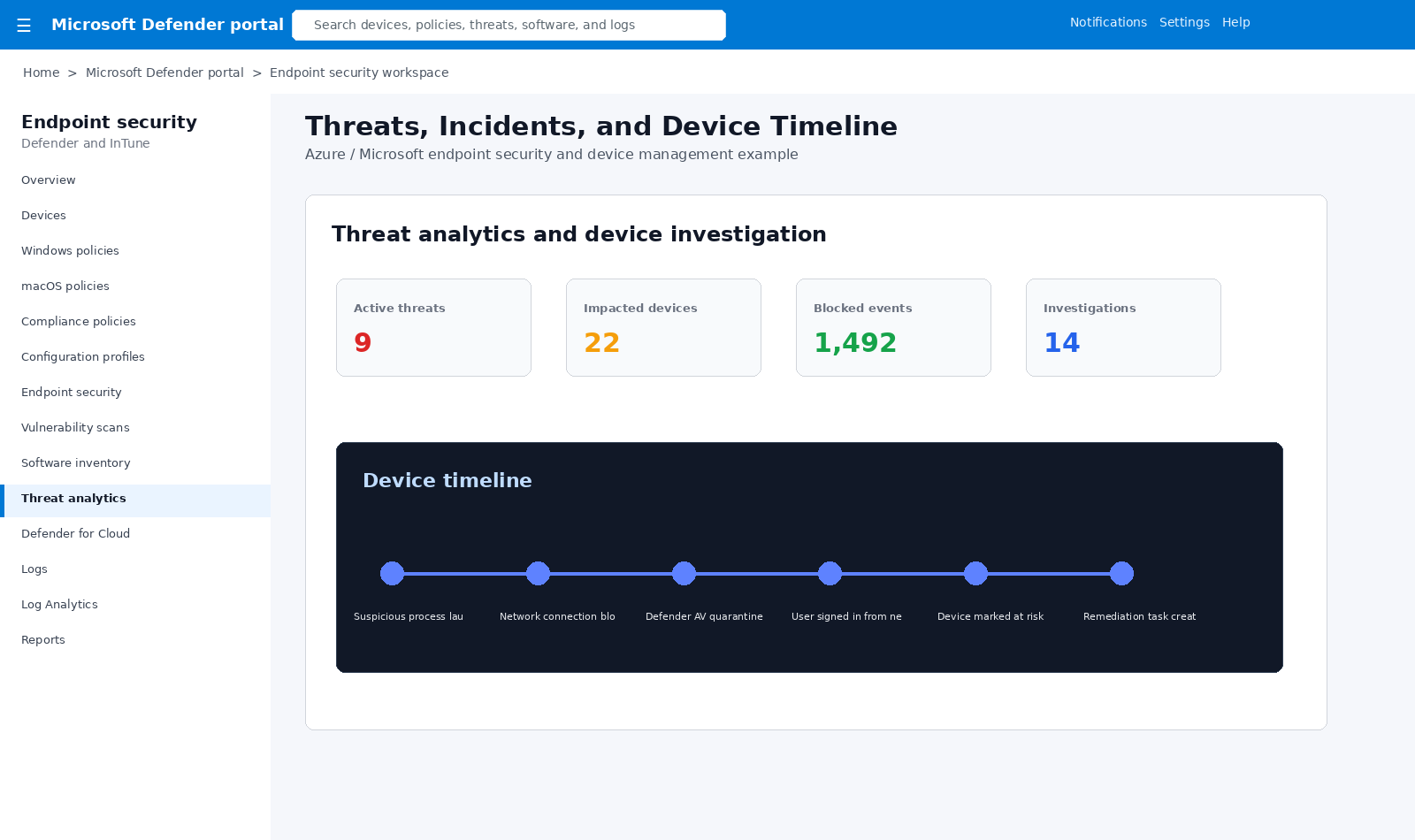
Defender threats and device timeline

Threats and Device Timeline

Threat analytics, active threats, impacted devices, blocked events, investigations, and device timeline events.
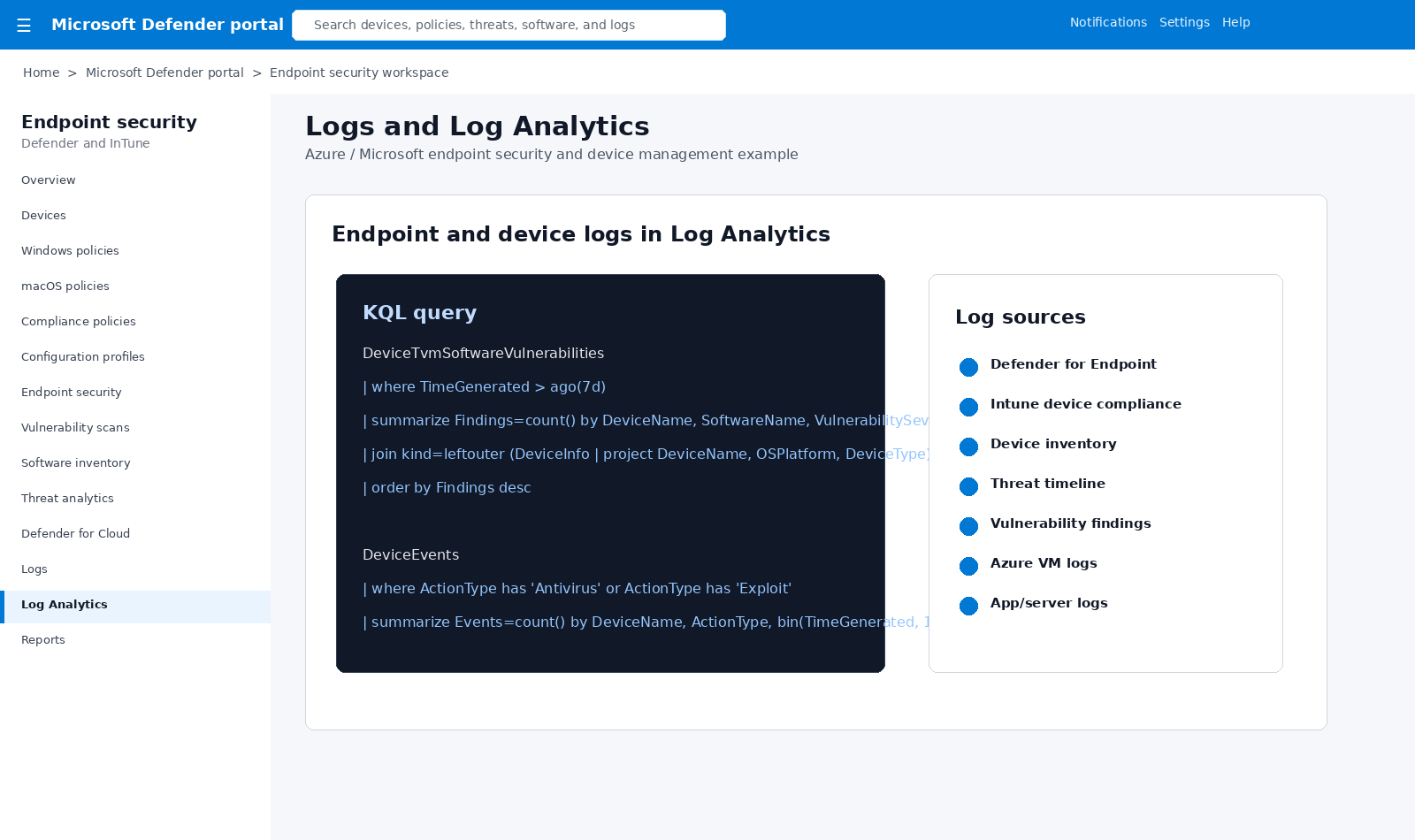
Defender InTune Log Analytics

Logs and Log Analytics

KQL queries combine vulnerability findings, software inventory, device events, and endpoint threat logs.
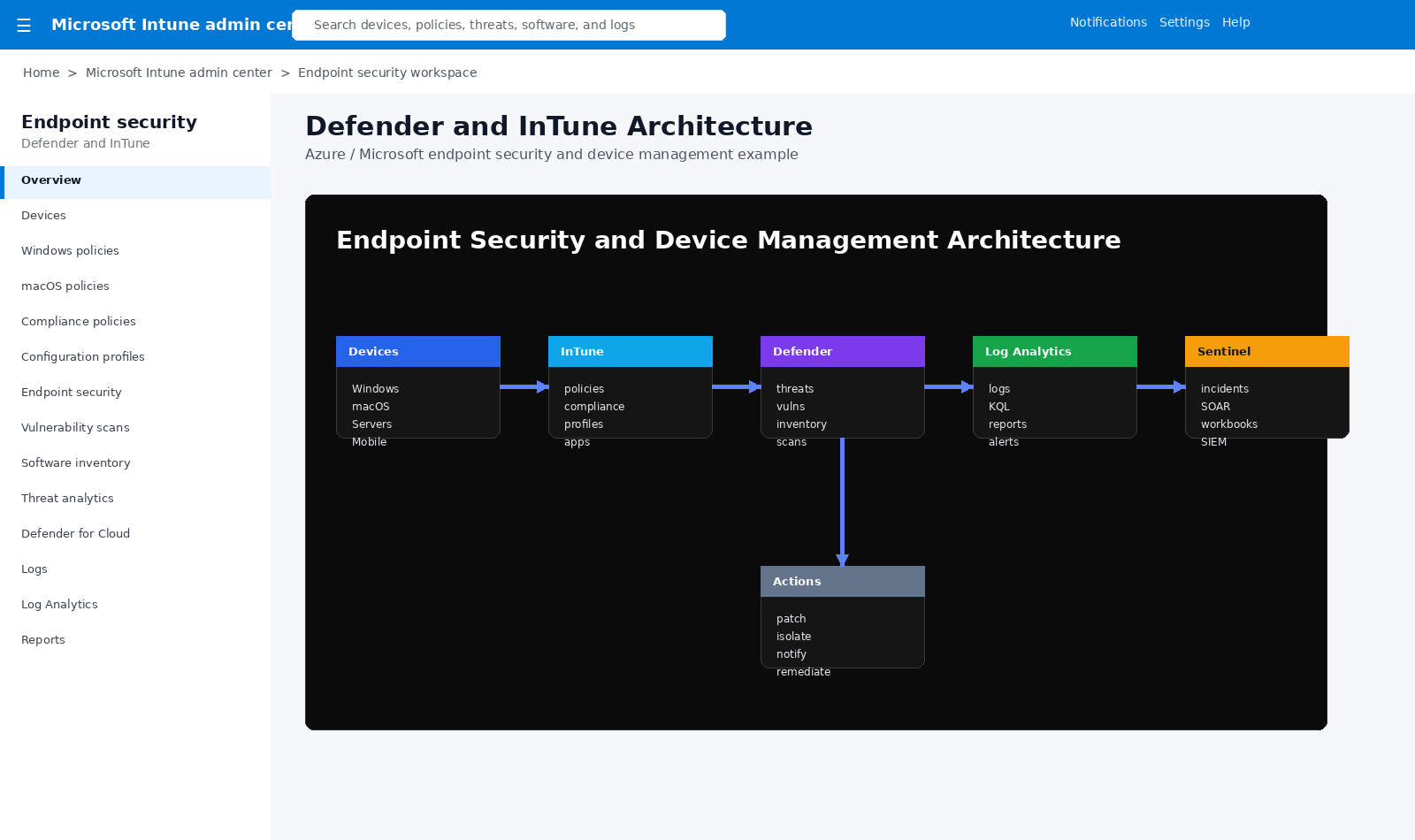
Defender InTune architecture

Security Architecture

Devices, InTune policies, Defender detections, Log Analytics, Sentinel, and remediation actions working together.

Architecture Flow

Devices

Windows, macOS, mobile, Linux, Azure VMs, servers, and app workloads.

InTune

Policies, compliance, configuration profiles, update rings, restrictions, and app controls.

Defender

Threats, vulnerability scans, software inventory, incidents, and device timelines.

Logs

Device events, vulnerabilities, software, compliance, scans, and threat activity.

Action

Patch, isolate, notify, remediate, investigate, report, and escalate to Sentinel.

This pattern creates a modern endpoint security program where devices are governed by policy, scanned for vulnerabilities, inventoried for software risk, monitored for threats, and reported through Log Analytics and Sentinel.

Business Value

  • Consistent device policy enforcement across Windows and macOS endpoints.
  • Improved patch and vulnerability visibility across devices and servers.
  • Better software inventory and lifecycle awareness for each endpoint and workload.
  • Faster threat investigation with device timelines, alerts, logs, and SIEM integration.
  • Audit-ready reporting for compliance, operations, security, and leadership.

Example Production Flow

  • Enroll devices into InTune and assign Windows/macOS compliance policies.
  • Onboard devices and servers into Defender for Endpoint.
  • Schedule vulnerability scans and collect software inventory.
  • Send Defender and InTune logs to Log Analytics and Sentinel.
  • Review threats, patch gaps, software risk, and compliance dashboards.
  • Remediate by patching, isolating, notifying, or escalating incidents.
Back to Capabilities