Evolvement LLC logo

Sentinel & SIEM

Cloud-native security monitoring, threat detection, analytics rules, dashboards, incident response, SIEM/SOAR integration, and automated security operations with Microsoft Sentinel.

What We Build

  • Microsoft Sentinel workspaces connected to identity, endpoint, cloud, firewall, application, Linux, GitLab, and custom log sources.
  • Security dashboards, workbooks, KQL queries, hunting queries, incident queues, analytics rules, and evidence reports.
  • Custom detections for failed sign-ins, impossible travel, privileged access, Key Vault anomalies, GitLab HTTPS login activity, endpoint alerts, and data exfiltration risk.
  • SOAR automation using Logic Apps playbooks, Teams notifications, tickets, enrichment, approvals, and response actions.
  • Operational monitoring that tracks incident volume, severity, ownership, response time, closure rate, and audit evidence.

Example Use Cases

  • Send daily GitLab HTTPS login logs into Sentinel for investigation and reporting.
  • Correlate Microsoft Defender, Azure Activity, Entra ID, Key Vault, App Service, Linux, and custom application logs.
  • Create analytics rules that detect repeated failed logins, suspicious admin changes, and risky endpoint behavior.
  • Build workbooks for executives, security teams, system owners, and compliance stakeholders.
  • Trigger playbooks that notify Teams, open tickets, enrich entities, and record response evidence.

Sentinel as the SIEM / SOAR Layer

Microsoft Sentinel becomes the security operations layer that collects logs, correlates signals, detects threats, creates incidents, supports hunting, and automates response. Evolvement LLC designs Sentinel patterns that connect infrastructure, applications, identity, endpoints, DevSecOps, and compliance evidence into one security monitoring experience.

  • Data Connectors: ingest logs from Microsoft Defender, Entra ID, Azure Activity, GitLab, Linux, App Service, Key Vault, firewalls, and custom tables.
  • Analytics Rules: use KQL to detect suspicious behavior, alert patterns, and policy violations.
  • Incidents: triage, assign, investigate, document, and close security events with evidence.
  • Workbooks: visualize incident trends, failed logins, endpoint alerts, source systems, and compliance indicators.
  • SOAR: automate enrichment, Teams notifications, tickets, approvals, blocking, and response workflows.

Microsoft Sentinel in Use

The screenshots below are packaged locally with this page so they render reliably. They show Sentinel overview, incidents, data connectors, analytics rules, workbooks, SOAR playbooks, and SIEM/SOAR architecture.
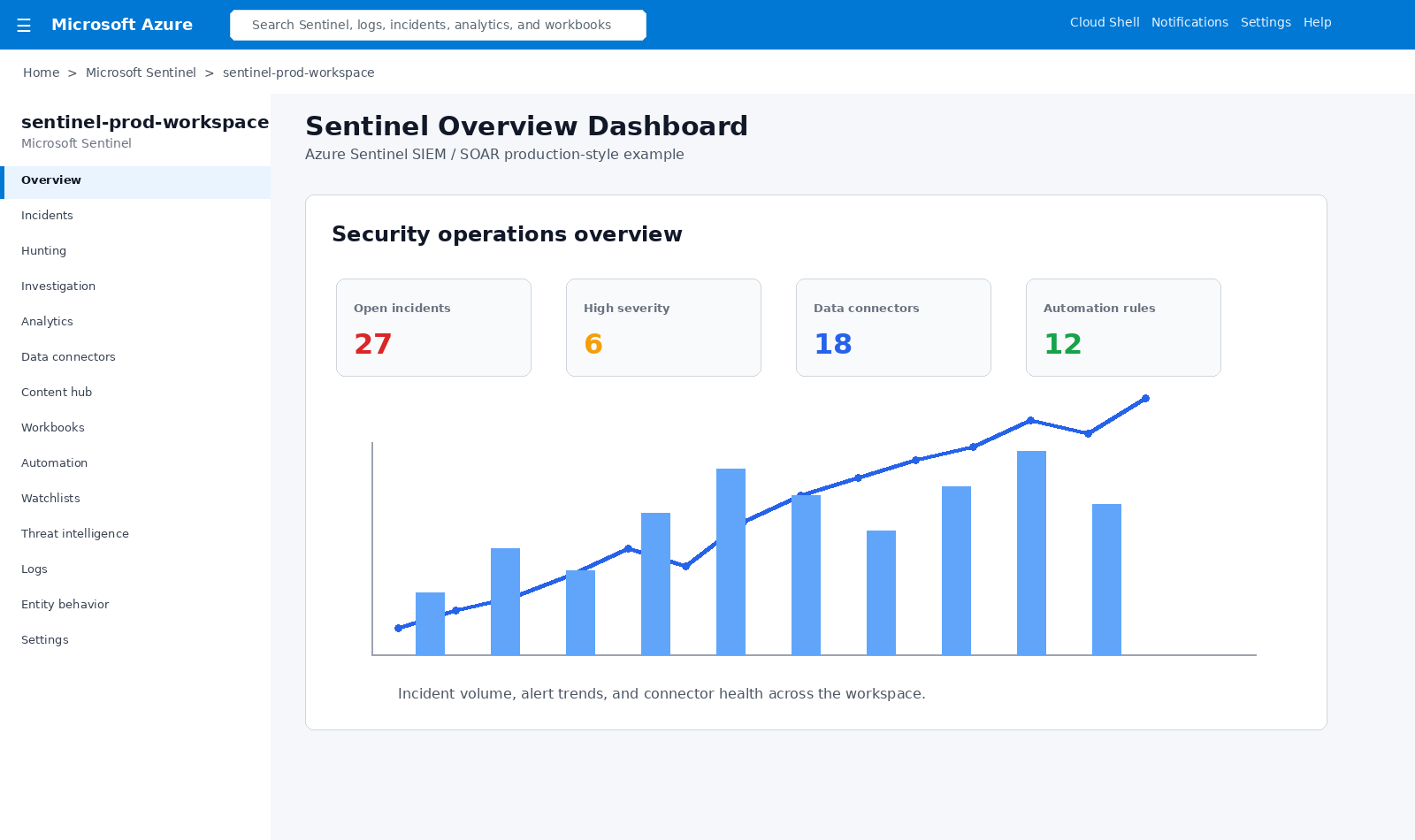
Sentinel overview dashboard

Sentinel Overview Dashboard

Security operations overview showing incidents, high severity alerts, connectors, automation, and alert trends.
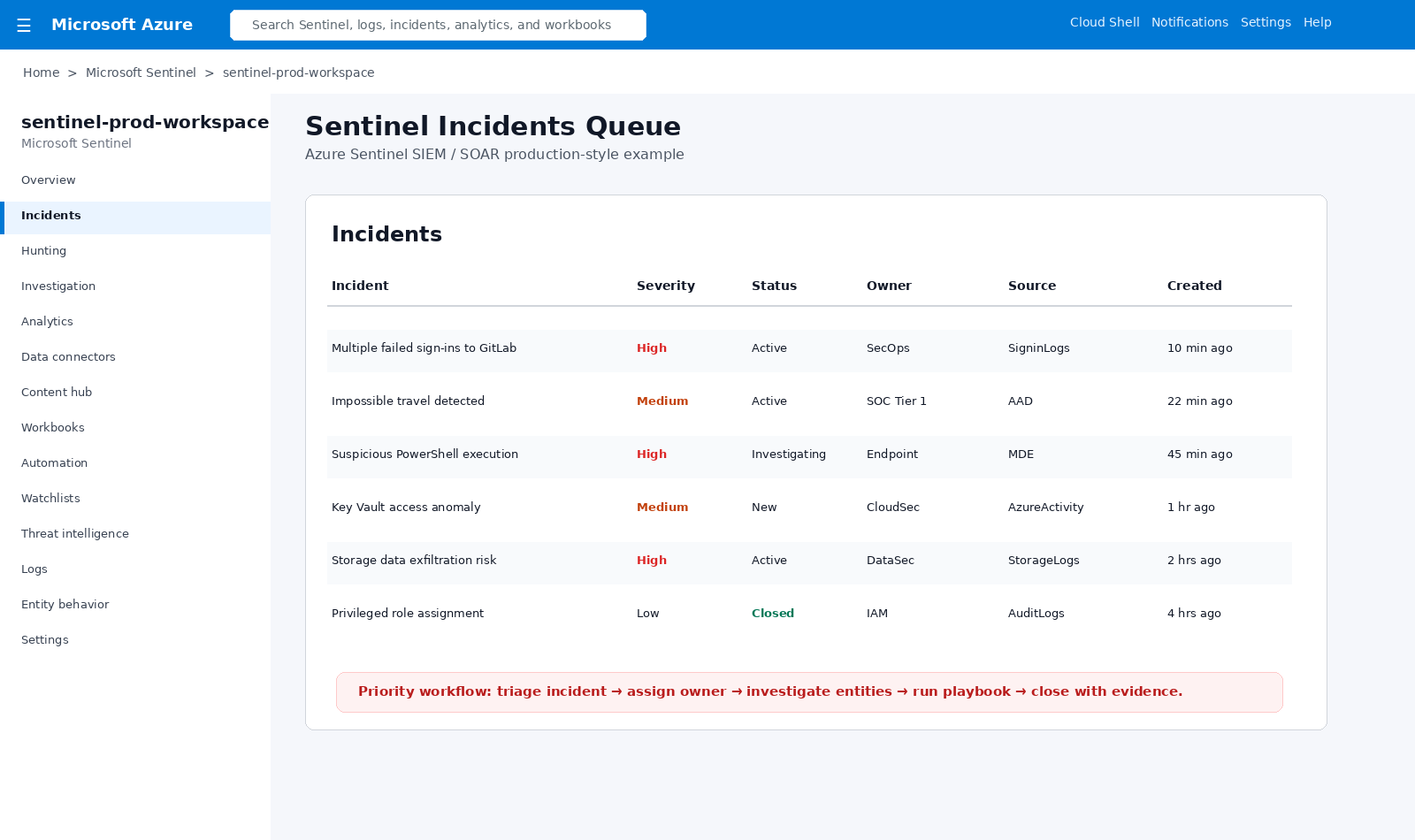
Sentinel incidents queue

Incidents Queue

Security incidents are triaged by severity, owner, source, status, and time created.
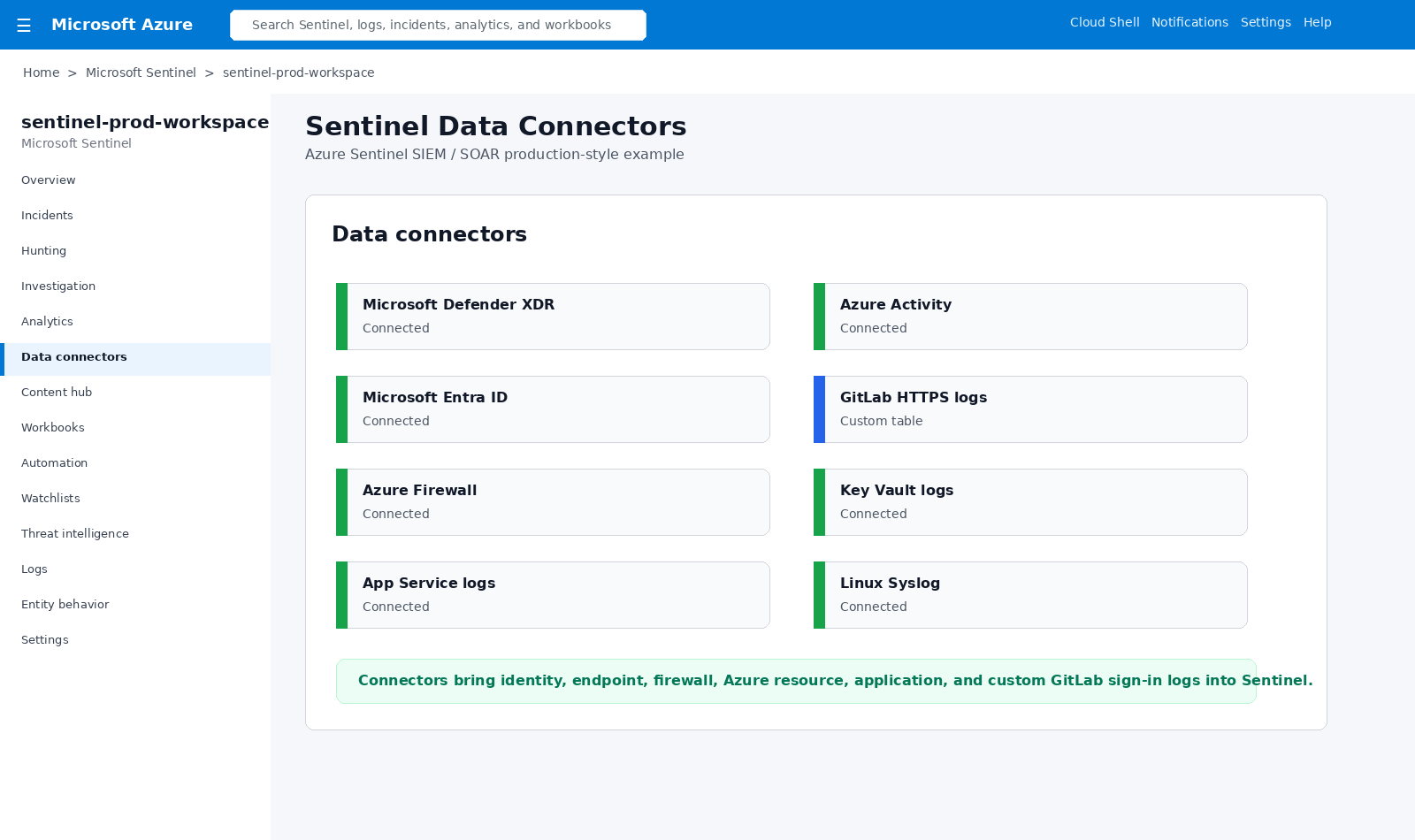
Sentinel data connectors

Data Connectors

Connect Defender, Entra ID, Azure Activity, GitLab logs, Key Vault, App Service, firewall, and Linux sources.
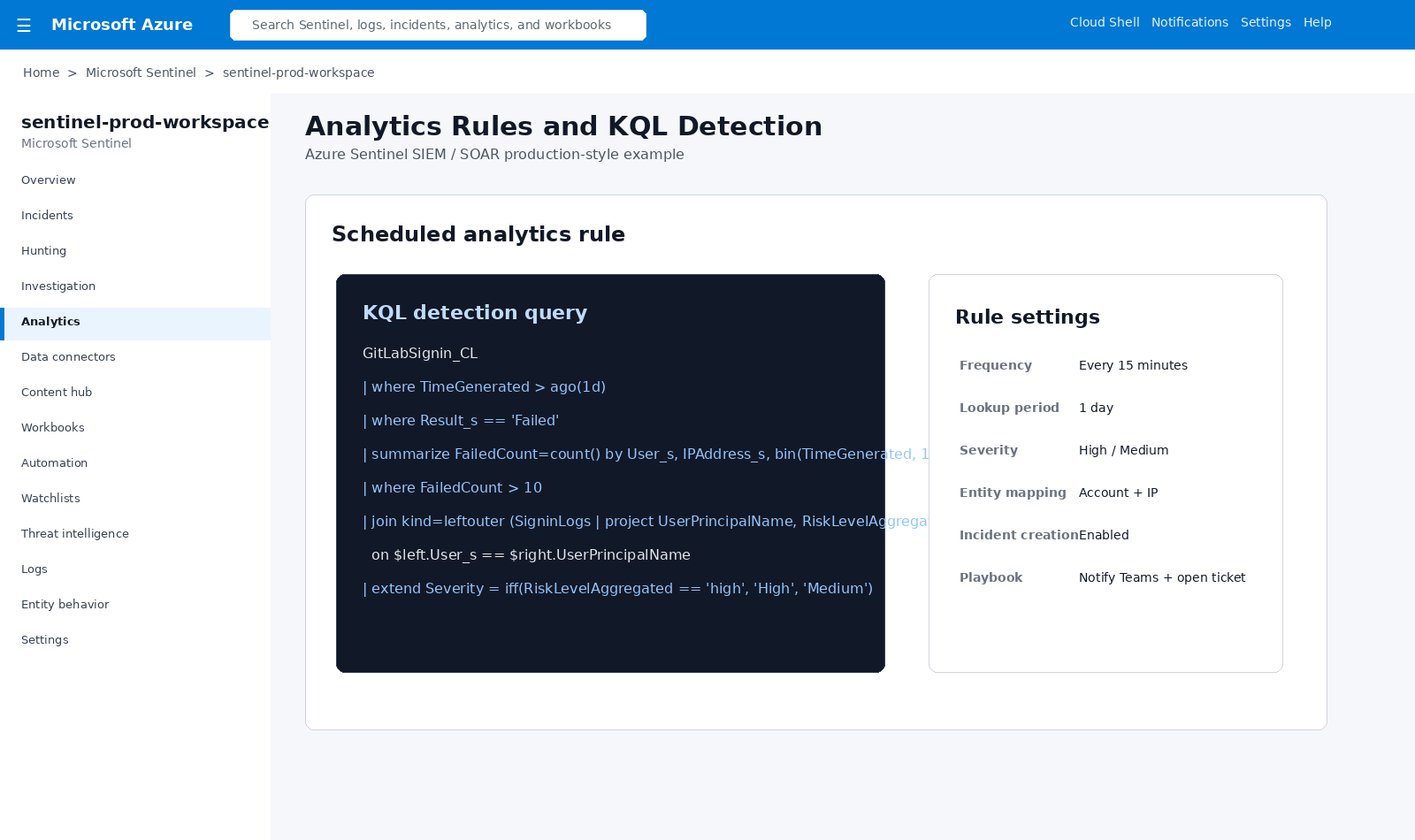
Sentinel analytics KQL rule

Analytics Rules and KQL

Custom KQL detection identifies repeated failed sign-ins and creates incidents with entity mapping and playbooks.
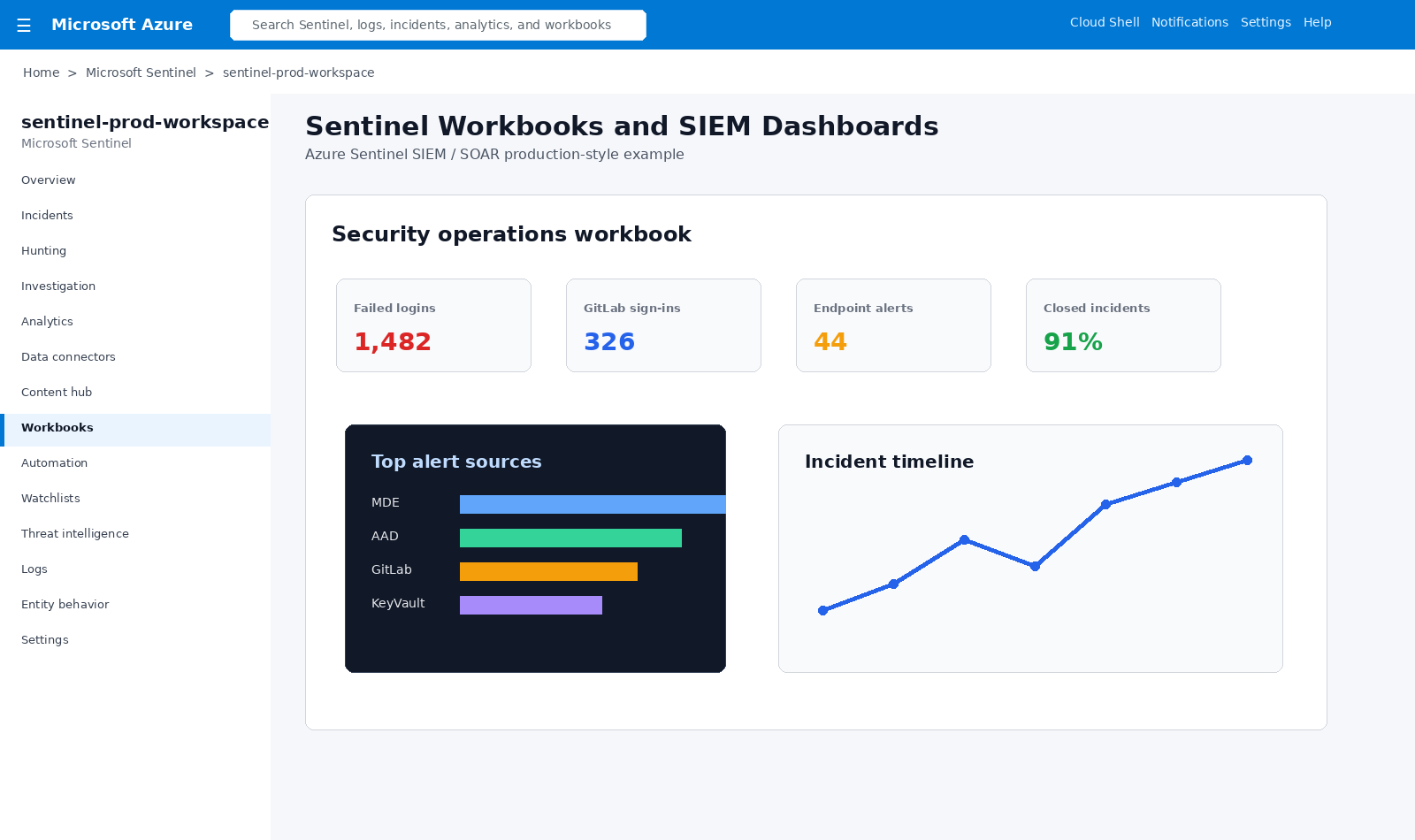
Sentinel workbooks dashboard

Workbooks and Dashboards

Sentinel workbooks visualize alert sources, failed logins, incident trends, and security KPIs.
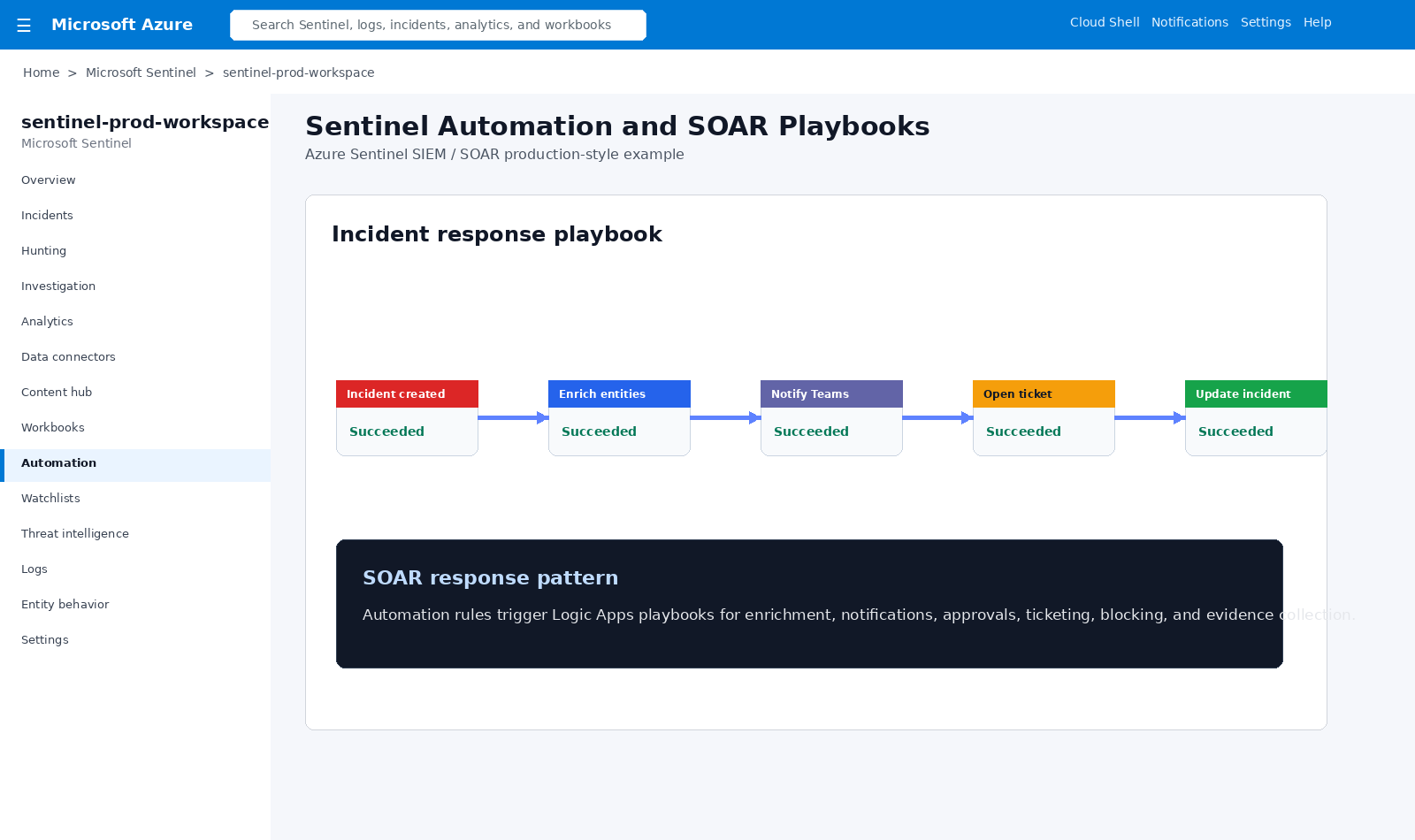
Sentinel SOAR playbooks

SOAR Playbooks

Automation rules trigger Logic Apps playbooks for enrichment, Teams notifications, tickets, and evidence collection.
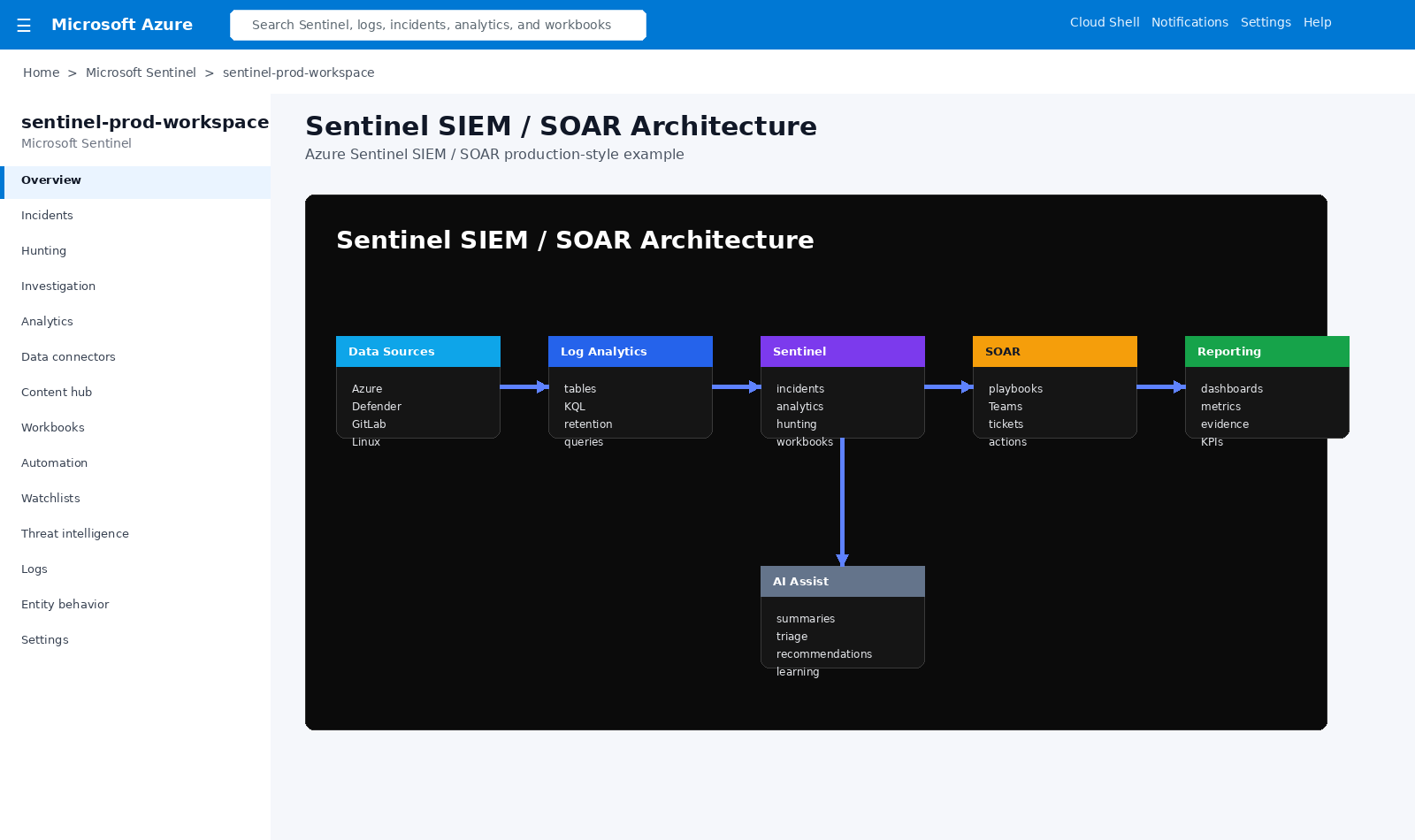
Sentinel SIEM SOAR architecture

SIEM / SOAR Architecture

Data sources, Log Analytics, Sentinel, automation, reporting, and AI-assisted triage work together.

Architecture Flow

Sources

Defender, Entra ID, Azure Activity, Linux, GitLab, apps, Key Vault, and firewalls.

Log Analytics

Tables, KQL, retention, custom logs, and normalized security data.

Sentinel

Incidents, analytics, hunting, entity behavior, workbooks, and threat intelligence.

SOAR

Logic Apps, Teams alerts, tickets, enrichment, approvals, and automated actions.

Evidence

Dashboards, reports, timelines, closure notes, compliance artifacts, and lessons learned.

This pattern gives organizations a single SIEM/SOAR layer that collects security telemetry, detects suspicious behavior, creates incidents, automates response, and produces evidence for security operations and compliance reporting.

Business Value

  • Centralized visibility across cloud, identity, endpoint, application, and custom log sources.
  • Faster investigation through incidents, entity mapping, KQL, hunting, and dashboards.
  • Improved response time through automated SOAR playbooks and Teams notifications.
  • Better compliance evidence through workbooks, incident timelines, and closure documentation.
  • Repeatable security monitoring patterns for GitLab, Azure VMs, App Services, Key Vault, Defender, and Entra ID.

Example Production Flow

  • Data connectors ingest logs into Log Analytics.
  • KQL analytics rules detect suspicious behavior.
  • Sentinel creates incidents and maps entities.
  • Analysts investigate using workbooks, hunting, and incident timelines.
  • SOAR playbooks notify Teams, enrich data, open tickets, and capture evidence.
  • Dashboards report incident trends, response health, and security posture.
Back to Capabilities