Evolvement LLC logo

Web Apps & App Service

Azure Web Apps and App Service provide secure, scalable hosting for modern web applications, APIs, dashboards, portals, AI front ends, automation back ends, private integrations, and enterprise deployment pipelines.

What We Build

  • Azure App Service web applications, hosted APIs, internal portals, dashboards, and secure application front ends.
  • Linux and Windows App Service deployments with runtime stacks such as Python, .NET, Node.js, Java, and containers.
  • Deployment pipelines using GitHub, Azure DevOps, ZIP deploy, container registries, slots, and controlled release patterns.
  • Secure configuration using managed identities, app settings, environment variables, Key Vault references, private endpoints, custom domains, and certificates.
  • Monitoring and operations using Application Insights, Log Stream, diagnostic logs, metrics, alerts, health checks, and deployment run history.

Example Use Cases

  • Host a secure web portal that connects to Azure SQL, Cosmos DB, PostgreSQL, APIs, and Power BI dashboards.
  • Deploy internal application back ends for Power Apps, automation, AI agents, and data integration workflows.
  • Run Python or Flask-based web apps that support document upload, RAG, dashboards, analytics, and operational tools.
  • Use deployment slots to test changes before promoting them into production.
  • Compare production runs versus CI/CD runs to verify release health, rollback quickly, and track operational reliability.

App Service as the Application Hosting Layer

App Service becomes the managed hosting layer for secure web applications and APIs. It supports rapid deployment while still giving enterprise teams control over networking, identity, environment variables, certificates, logs, scaling, deployment slots, and monitoring.

  • Web Apps: host custom applications, dashboards, portals, AI interfaces, intake forms, and operations tools.
  • APIs: expose secure back-end services for Power Platform, automations, dashboards, and external systems.
  • Deployment: compare production deployments against CI/CD staging runs, feature branches, hotfixes, and controlled release workflows.
  • Configuration: manage app settings, environment variables, slot settings, Key Vault references, and runtime behavior.
  • Security: use managed identity, private endpoints, custom domains, TLS certificates, and network restrictions.
  • Operations: monitor logs, metrics, dependency calls, errors, health checks, and request performance.

Azure App Service in Use

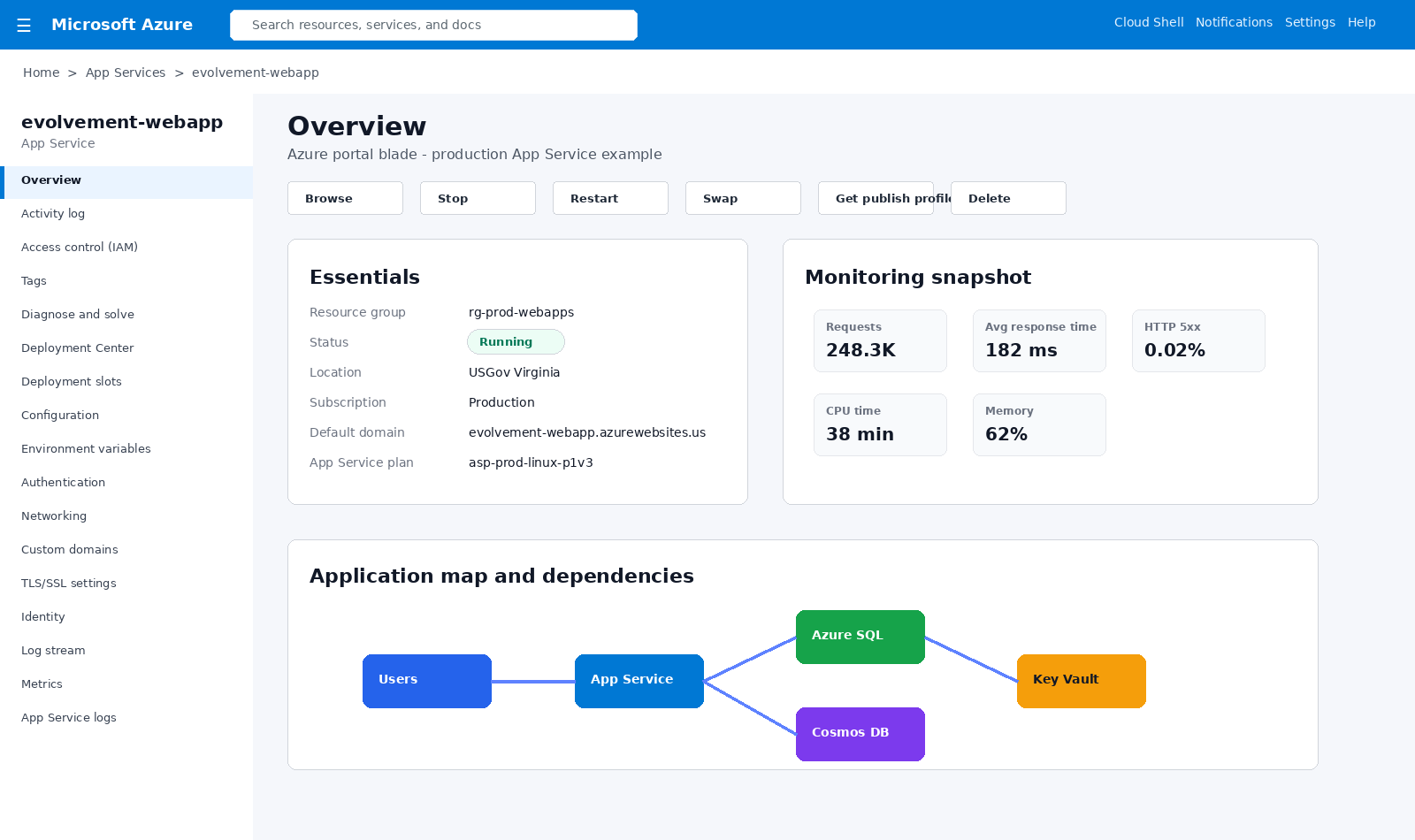
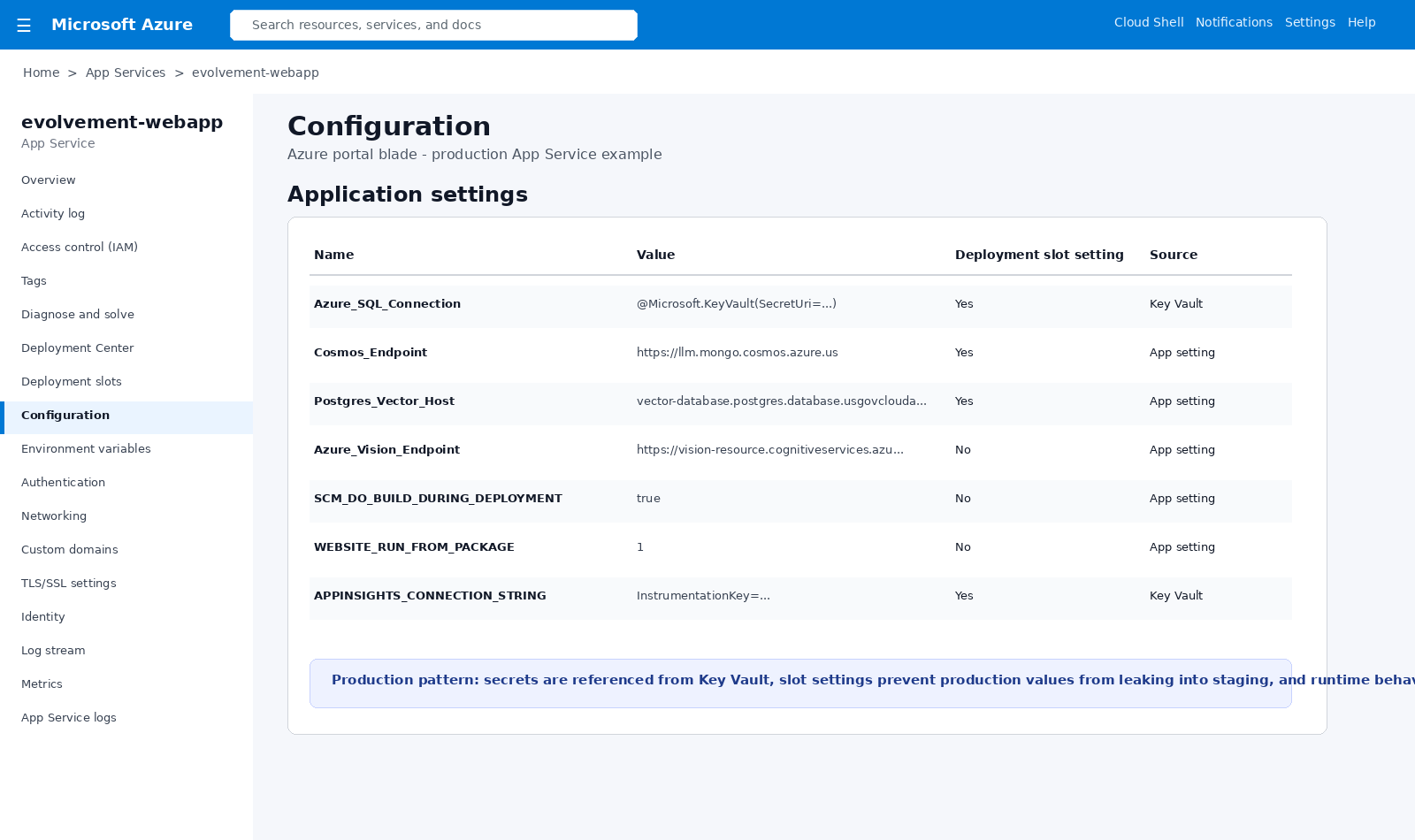
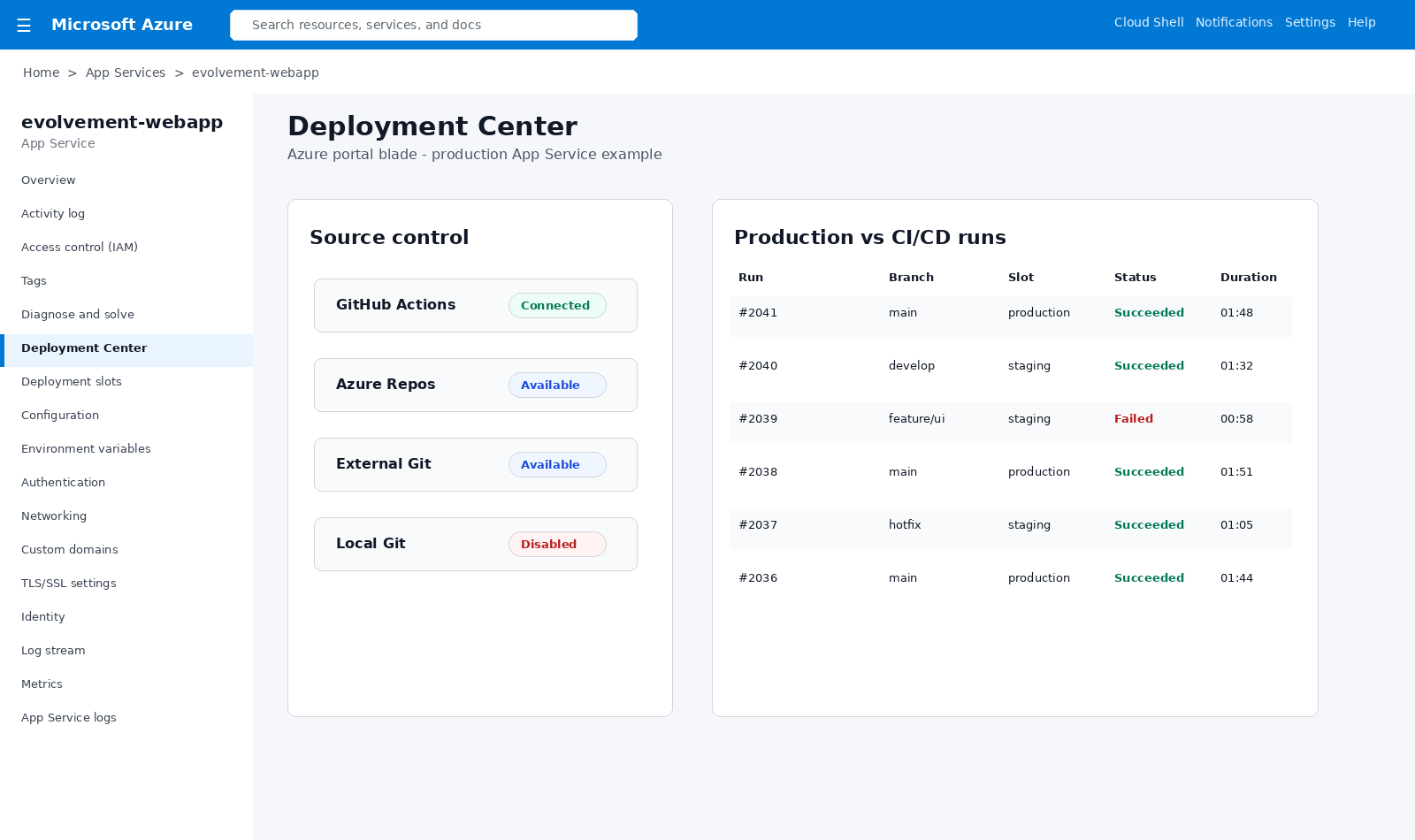
The screenshots below are Azure portal-style visuals packaged locally with this page so they render reliably. They show overview blades, configuration and environment variables, production versus CI/CD deployment runs, deployment slots, log streaming, private networking, and metrics.
Azure App Service overview blade

App Service Overview Blade

Production App Service overview showing runtime status, resource details, monitoring snapshot, and dependency map.
Azure App Service configuration and environment variables

Configuration and Environment Variables

Application settings, environment variables, Key Vault references, slot settings, and secure runtime configuration.
Azure App Service deployment center production and CI/CD runs

Deployment Center: Production vs CI/CD Runs

CI/CD run history comparing main, develop, feature, staging, production, failed runs, and successful releases.
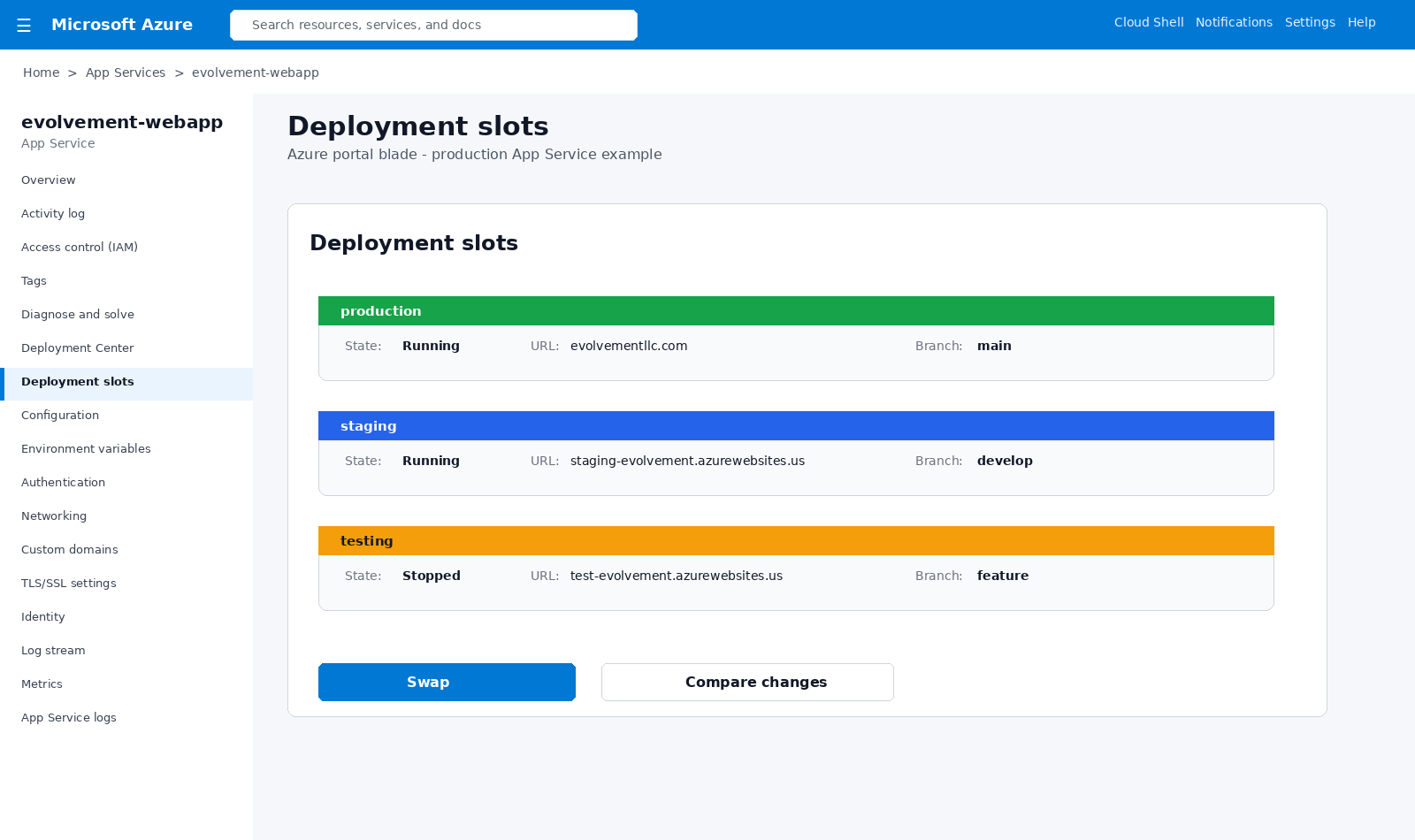
Azure App Service deployment slots

Deployment Slots

Production, staging, and testing slots support validation, staged releases, hotfixes, and safe production swaps.
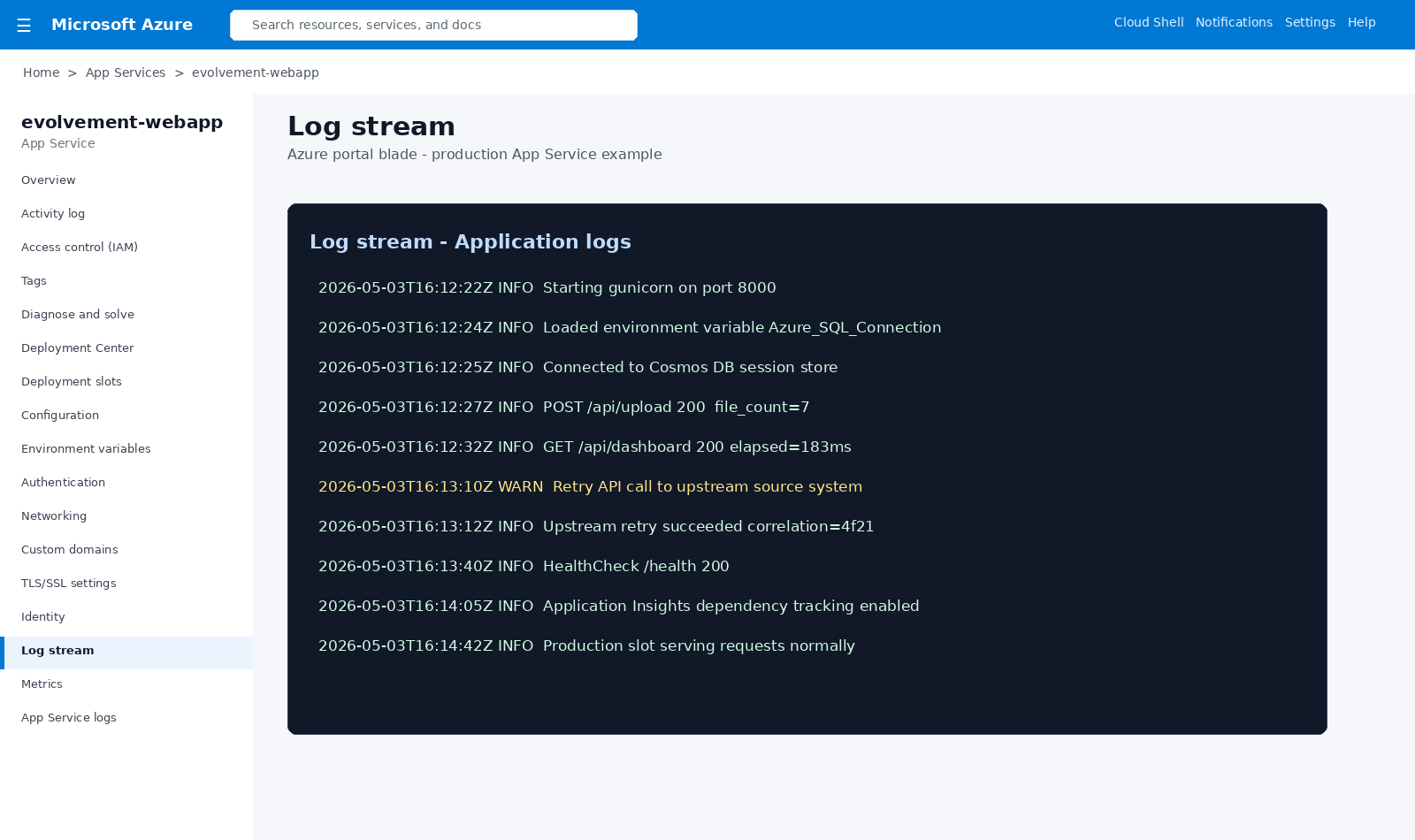
Azure App Service log stream

Log Stream

Live application logs show startup, environment variables, upstream retries, requests, dependencies, and health checks.
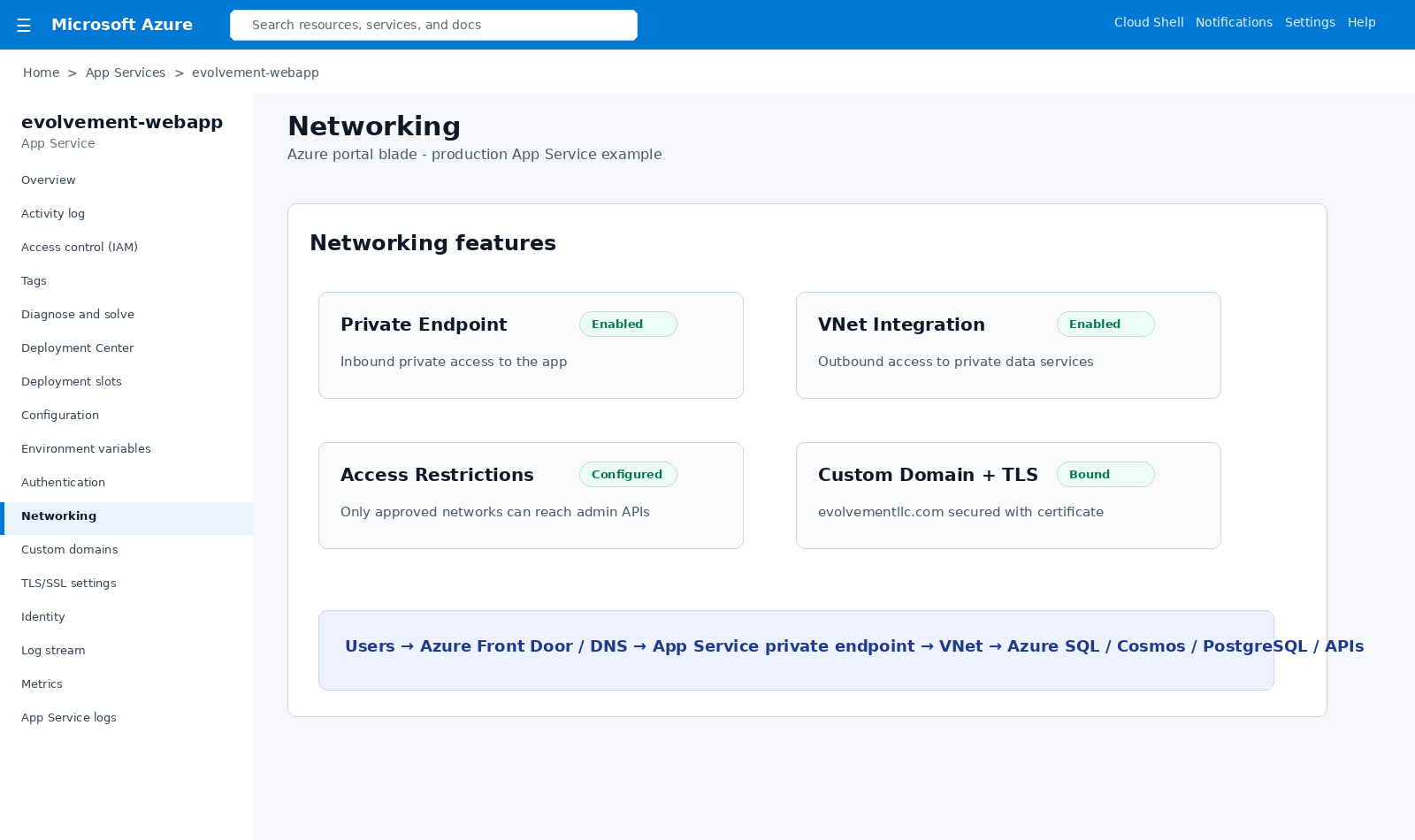
Azure App Service networking private endpoint

Networking and Private Endpoints

Private endpoints, VNet integration, access restrictions, custom domains, and TLS protect application traffic.
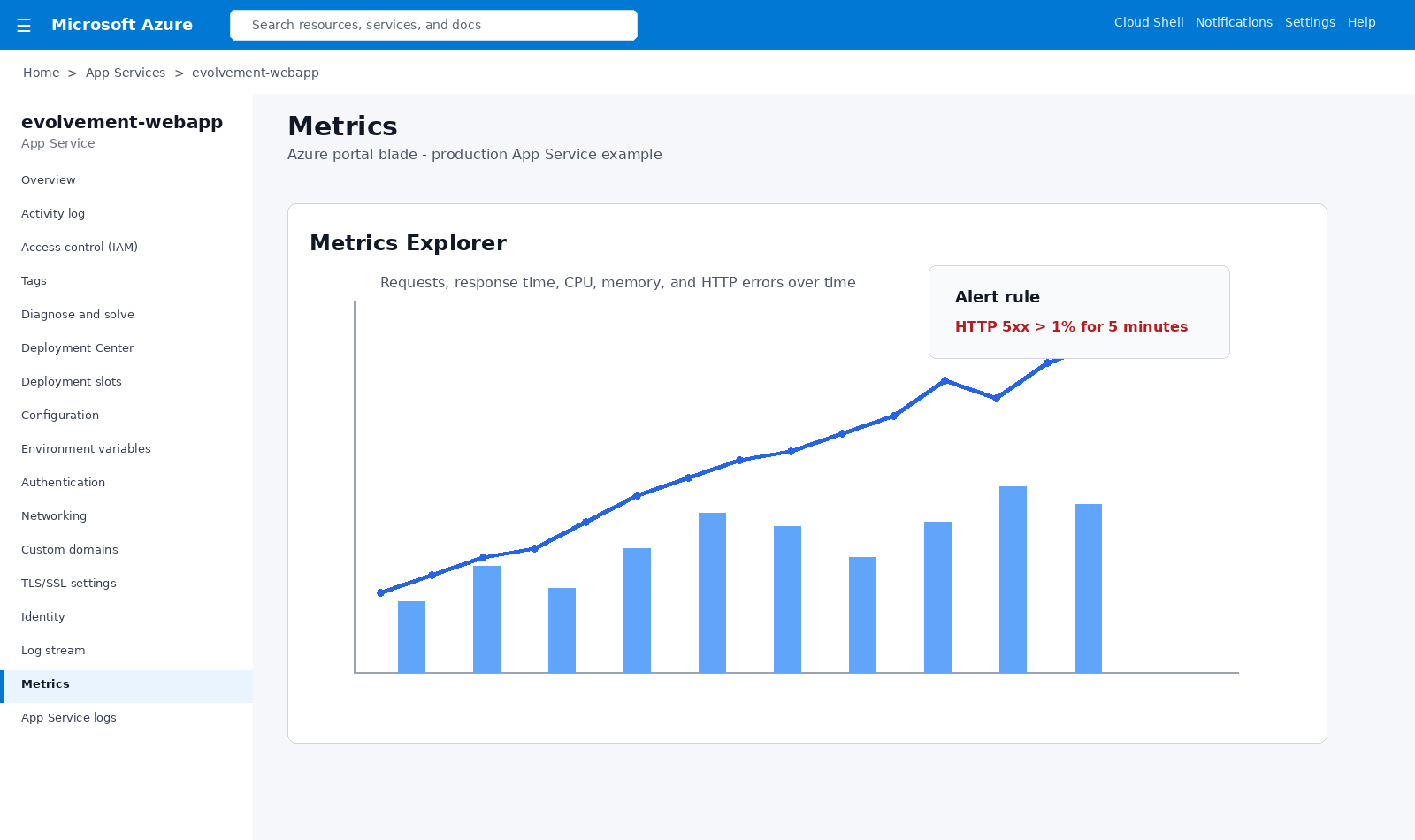
Azure App Service metrics and monitoring

Metrics and Monitoring

Metrics Explorer tracks requests, response time, CPU, memory, HTTP failures, alerts, and health trends.

Architecture Flow

Users

Internal teams, customers, analysts, approvers, and administrators.

Web App

Portal, dashboard, API, AI interface, intake form, or operations tool.

Identity

Managed identity, Entra ID, app roles, secrets, and Key Vault.

Data

Azure SQL, Cosmos DB, PostgreSQL, storage, APIs, and lakehouse sources.

Deployment

GitHub, Azure DevOps, staging slots, CI/CD runs, and production swaps.

Operations

Logs, metrics, alerts, diagnostics, scaling, health checks, and rollback.

This pattern makes App Service the secure application layer that users interact with while backend systems remain governed through identity, private networking, managed configuration, APIs, deployment slots, and monitored release practices.

Business Value

  • Faster deployment of secure web applications, APIs, portals, and internal tools.
  • Managed hosting without maintaining servers or manually patching application infrastructure.
  • Safe deployment practices using CI/CD, deployment slots, production run history, and controlled releases.
  • Better security through managed identity, Key Vault, certificates, custom domains, and private networking.
  • Better troubleshooting and reliability through logs, metrics, alerts, health checks, and Application Insights patterns.

Example Production Flow

  • Code is pushed to GitHub or Azure DevOps.
  • CI/CD deploys to a staging slot and records a deployment run.
  • Application reads environment variables from App Service configuration and Key Vault references.
  • Managed identity securely accesses Azure SQL, Cosmos DB, PostgreSQL, APIs, or storage.
  • Logs, metrics, and alerts monitor application health before release.
  • Validated staging slot is swapped into production, while rollback remains available.
Back to Capabilities